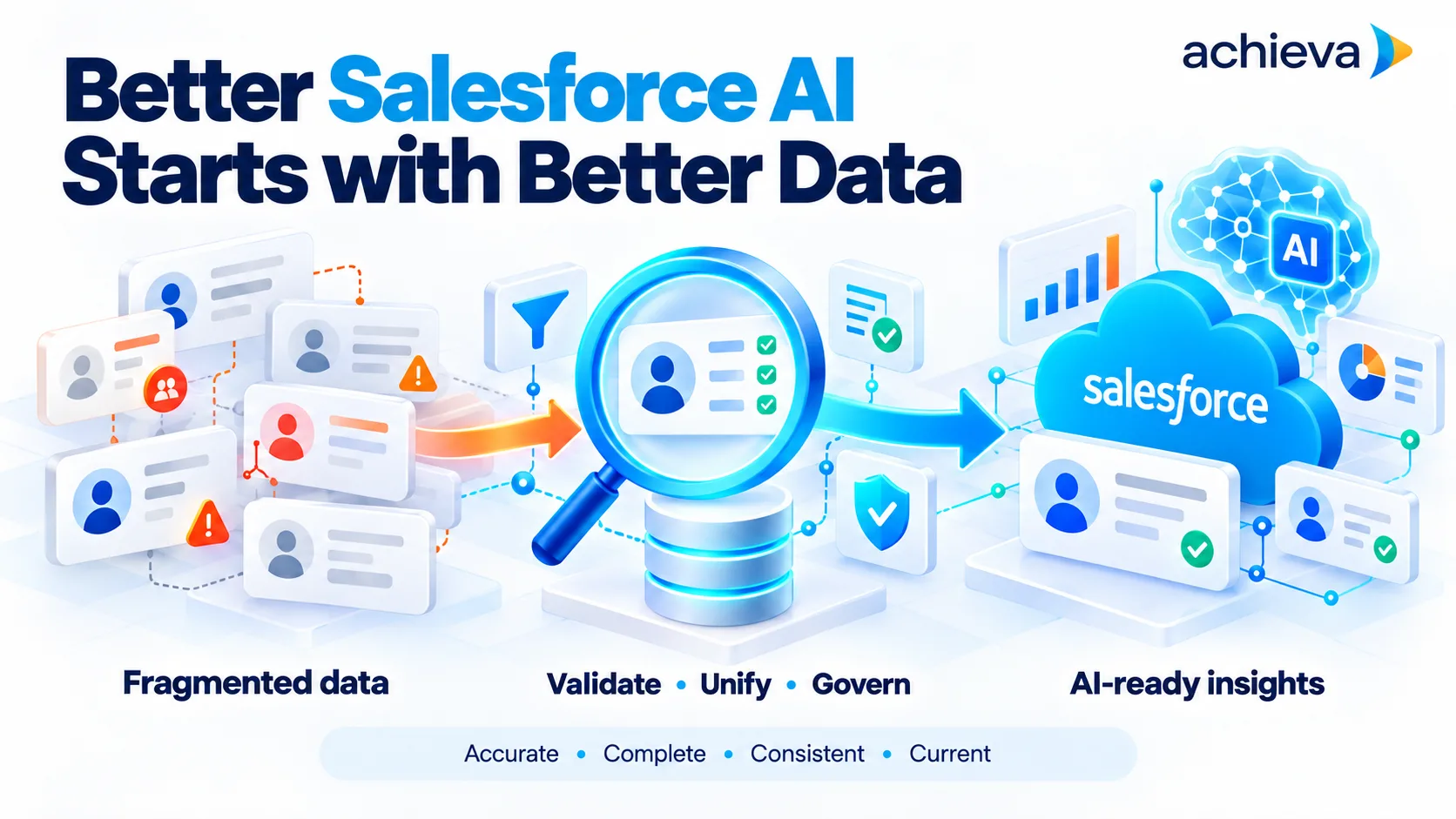
A retail brand turns on AI features in Service Cloud to summarize cases and suggest replies, and in Marketing Cloud to recommend send times and content. The early results are mixed. Service summaries miss recent orders because order data lives in a separate commerce platform. Suggested replies reference outdated return policies. Marketing recommendations target customers who have already unsubscribed through a different channel. The AI models are capable. The data they rely on is fragmented, stale, and inconsistently governed.
This experience is common. Conversations about AI in Salesforce often focus on new models, new agents, and new features announced at each release. Those matter, but results depend first on the data underneath. Salesforce's own strategic moves, including its focus on Data 360 and its acquisition of Informatica, suggest the company sees data quality and governance as the real constraint on AI outcomes.
Why Data Decides AI Results
AI features in Salesforce work by reading customer records, interactions, knowledge articles, and related data, then generating predictions, summaries, recommendations, or actions. If the data is incomplete, duplicated, outdated, or inconsistent, the AI's output reflects those problems.
Common data issues include:
- Fragmented identity: The same customer appears as several records across service, marketing, and commerce systems.
- Missing context: Orders, product usage, or billing data sit outside Salesforce and are not connected.
- Stale content: Knowledge articles and policies are not updated when rules change.
- Inconsistent consent: Opt-outs and preferences recorded in one system do not reach others.
- Poor field quality: Key fields are blank, free-text, or used differently by different teams.
Each of these produces AI outputs that look confident and are wrong.
How Widespread the Problem Is
Survey data shows how common fragmented data is among Salesforce customers. IBM's State of Salesforce research, based on a survey of 1,222 Salesforce customers, found that only 26% say their customer data primarily lives within Salesforce, and that 53% identify poor data availability and quality as the leading barrier to agentic AI adoption.
Service leaders see the same pattern. Salesforce's State of Service research found that 66% of customer service organizations now use AI agents, while 72% of operations professionals identified data readiness as a significant barrier to implementation.
Adoption is moving fast, and data readiness is lagging behind it. The gap tends to widen as each new feature connects to more data sources, because every source brings its own quality issues, identifiers, and update schedules.
What Salesforce's Data Moves Signal
Salesforce has invested heavily in data infrastructure. Its customer data platform, now called Data 360, is designed to unify data from many sources into a single view of each customer, which AI features and agents can then use.
In November 2025, Salesforce completed its acquisition of Informatica, a long-established provider of data integration, quality, governance, catalog, and master data management tools. Salesforce described the combination as bringing those capabilities to its platform to create a unified, trusted data foundation for agentic AI.
These moves are telling. A company that sells AI features chose to spend heavily on data integration and governance. That suggests the limiting factor for customer AI outcomes lies in data, not in model capability.
Salesforce Service Cloud AI Depends on Service Data
Salesforce Service Cloud AI features include case summaries, reply recommendations, case classification, routing, knowledge suggestions, and AI agents that resolve requests. Each depends on specific data:
- Case history: Complete, accurately categorized past cases.
- Customer context: Orders, products, entitlements, and contracts connected to the customer record.
- Knowledge: Current, approved articles that reflect actual policies.
- Channel data: Interactions from phone, chat, email, and messaging linked to the same customer.
When any of these is missing or outdated, AI suggestions weaken. A reply recommendation based on an old return policy creates a complaint. A summary that misses a recent order confuses the agent and the customer.
Salesforce Marketing Cloud AI Depends on Marketing Data
Salesforce Marketing Cloud AI features include send-time optimization, content recommendations, predictive engagement scores, segmentation assistance, and generative content tools. These depend on:
- Unified profiles: A single identity for each customer across email, mobile, web, and commerce.
- Engagement history: Accurate records of opens, clicks, purchases, and visits.
- Consent and preferences: Current, consistent opt-in and opt-out status.
- Product and content data: Clean catalogs and tagged content.
Fragmented profiles lead to duplicate messages, wrong personalization, and compliance risk. A customer who unsubscribed through one channel but still receives messages through another is a regulatory concern as well as a poor experience.
Rethinking the AI in Salesforce Roadmap
A data-first view changes how organizations plan AI in Salesforce. Instead of starting with features, the roadmap starts with the data each feature needs.
- Pick priority AI use cases. Choose a few features or agents tied to clear business outcomes.
- Map data requirements. For each use case, list the data it needs and where that data lives today.
- Assess readiness. Check completeness, accuracy, freshness, identity resolution, and consent for each data source.
- Fix the foundations. Connect missing sources, resolve duplicate identities, clean key fields, and update knowledge content.
- Govern ongoing quality. Assign owners, set quality rules, and monitor them continuously.
- Launch and measure. Turn on AI features, measure outcomes, and trace problems back to data where possible.
This approach may delay the first launch slightly. It usually produces better results sooner, because features work from day one instead of requiring repeated fixes. It also builds a reusable foundation: the same unified profiles and governed content serve every later feature and agent.
Agents Raise the Stakes
Predictive and generative features mostly suggest. Agents act. An agent that resolves a service request, updates an order, or sends a marketing message makes changes that customers experience directly. When the underlying data is wrong, the agent does the wrong thing quickly and at scale.
That shift makes data quality a customer-facing issue. A reply suggestion based on outdated policy can be caught by a human agent before it is sent. An autonomous service agent working from the same outdated policy sends it to the customer. An agent that cannot see a recent payment may chase a customer who has already paid. Every data gap that was an inconvenience for suggestion features becomes a risk once agents take actions.
For that reason, organizations moving toward agents should set a higher bar for data readiness than they used for earlier AI features, and should limit early agents to domains where data is already well governed.
Integration Choices: Data 360, Warehouses, or Both
Organizations have several ways to bring external data into Salesforce AI. Data 360 can ingest and unify data from many sources, and it supports zero-copy access to some external data platforms, so data does not always need to be duplicated. Other organizations keep their authoritative customer data in a cloud warehouse and connect Salesforce to it. Many use a combination.
The right choice depends on where data already lives, how fresh AI features need it to be, what governance tools are in place, and how much duplication the organization can tolerate. Whatever the pattern, the same principles apply: one resolved identity per customer, clear ownership of each data domain, and quality checks on every feed that AI reads.
Common Mistakes in AI Rollouts
Several mistakes recur in Salesforce AI programs:
- Switching on features org-wide at once: Problems appear everywhere at the same time, and trust falls quickly.
- Ignoring knowledge content: Teams connect data but leave outdated articles in place, so generated replies repeat old policies.
- Leaving consent to marketing alone: Service and sales AI features use contact data without checking preferences.
- No feedback loop: Users cannot flag bad AI outputs easily, so data problems stay hidden.
- Measuring adoption only: Tracking how many people use AI features without checking whether outputs are accurate.
Each of these is avoidable with a staged rollout and a simple quality review process.
Data Governance as an AI Requirement
Governance is often treated as a compliance exercise. For AI, it becomes an operating requirement. Useful practices include:
- Data ownership: A named owner for each key data domain, such as customers, products, and orders.
- Quality rules: Defined standards for completeness, validity, and freshness, with automated checks.
- Identity resolution: Consistent rules for matching and merging customer records across systems.
- Consent management: A single source of truth for customer preferences, synchronized to every channel.
- Content governance: Review cycles for knowledge articles and templates that AI draws on.
- Lineage: Visibility into where data comes from and how it changes.
These practices protect customers and make AI outputs more reliable.
What a Strong Salesforce AI Solution Looks Like
A Salesforce AI solution designed around data quality typically includes:
- A unified customer profile, built through Data 360 or integration with existing data platforms.
- Clear identity resolution rules and duplicate management.
- Connected data from commerce, billing, product, and support systems.
- Governed knowledge content with owners and review dates.
- Consent synchronized across service and marketing.
- Monitoring of data quality metrics alongside AI performance metrics.
- AI features and agents configured to use only governed data sources.
Partners that propose AI features without addressing these foundations may deliver impressive demos and disappointing production results.
Measuring Data Readiness
Organizations can track readiness with a few measures:
- Profile unification rate: Share of customers with a single, resolved identity across systems.
- Field completeness: Share of records with key fields populated.
- Data freshness: Time since last update for critical data sources.
- Knowledge currency: Share of articles reviewed within their scheduled cycle.
- Consent consistency: Share of customers with matching preferences across channels.
- AI output accuracy: Share of sampled AI outputs judged correct, traced back to data issues where not.
Reviewing these alongside AI adoption metrics shows whether the organization is building on solid ground.
A Representative Turnaround
Return to the retail brand. It pauses broad AI rollout and focuses on data. It connects its commerce platform so orders appear on customer records in Service Cloud. It resolves duplicate customer profiles across service and marketing, and centralizes consent. It assigns owners to knowledge articles and retires outdated policies.
Three months later, it relaunches service summaries and reply recommendations. Agents report that summaries now include recent orders and returns. Marketing recommendations stop targeting unsubscribed customers. Customer complaints about AI-assisted replies fall, and the team begins planning its first service agent on the same data foundation.
AI in Salesforce succeeds or fails on the data beneath it. Service Cloud and Marketing Cloud AI features need unified identities, connected context, current knowledge, and consistent consent to deliver reliable results, and Salesforce's investment in Data 360 and Informatica reflects that reality. Organizations that fix data foundations first get more value from every new feature. Find Salesforce AI solutions that start with data readiness assessments before AI rollout. Before switching on the next AI feature, it is worth asking whether the data it will read is data you would trust a new employee to use.