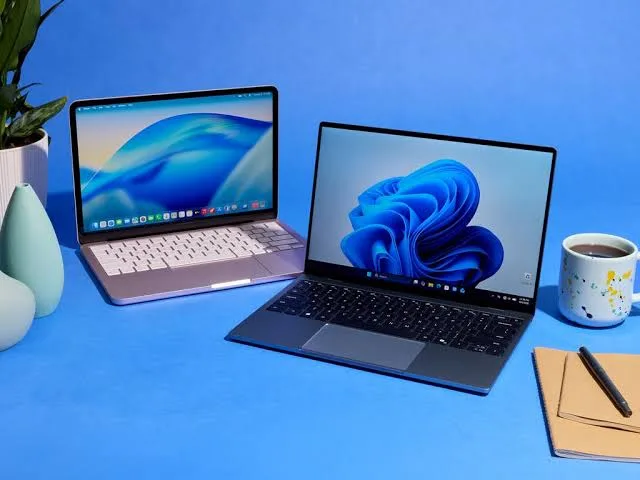
Choosing a laptop is an important decision for students, professionals, and business owners. The right device can improve productivity, support demanding applications, and make everyday tasks easier. However, with so many models, processors, and configurations available, it can be difficult to determine which laptop offers the best value.
Before making a purchase, consider your daily workload, performance requirements, budget, and long-term needs. Understanding a few essential specifications can help you make a more informed decision.
1. Identify Your Primary Laptop Requirements
Start by identifying how you intend to use your laptop. Different users require different levels of processing power, memory, graphics performance, and portability.
- Students: Prioritize portability, battery life, a comfortable keyboard, and sufficient memory for research and assignments.
- Business professionals: Look for reliable performance, video conferencing capabilities, security features, and compatibility with workplace applications.
- Content creators: Consider a powerful processor, sufficient RAM, a high-quality display, and dedicated graphics when your software requires them.
- Everyday users: Choose a balanced configuration for browsing, email, document editing, online meetings, and entertainment.
Defining your requirements first helps prevent overspending on features you may rarely use.
2. Understand the Importance of the Processor
The central processing unit (CPU) influences how efficiently a laptop performs everyday operations and demanding workloads. Entry-level processors can handle basic activities, while mid-range and high-performance processors are better suited to complex applications and heavier multitasking.
When comparing laptops, examine the exact processor model and generation rather than relying only on brand names or marketing labels. Two processors within the same product family can offer different levels of performance and power efficiency.
For office applications, web browsing, and routine business tasks, a modern entry-level or mid-range processor may be sufficient. Software development, advanced creative work, and demanding technical applications may require a more capable processor.
3. Choose Enough RAM and Storage
Random-access memory (RAM) allows your laptop to manage active applications and tasks. Insufficient memory can cause slowdowns when multiple programs or browser tabs are open.
For many modern users, 16GB of RAM is a practical starting point for comfortable multitasking. However, 8GB may still be adequate for light workloads, while specialized professional applications may benefit from 32GB or more.
Storage is equally important. Solid-state drives (SSDs) generally provide faster startup times and application loading than traditional mechanical hard drives.
Consider these general guidelines:
- 256GB SSD: Suitable for lighter workloads and users who rely on cloud storage.
- 512GB SSD: A balanced option for many students and professionals.
- 1TB SSD or larger: Worth considering for large projects, media files, software libraries, and extensive local storage.
Always check the laptop's actual configuration and whether its memory or storage can be upgraded later.
4. Evaluate Battery Life and Portability
If you travel frequently, attend meetings, or work remotely, battery life and portability can significantly affect your daily experience.
Compare independent battery tests where available instead of relying exclusively on manufacturer estimates. Real-world battery performance depends on screen brightness, software, connectivity, and workload.
Screen size also matters. Smaller laptops are often easier to carry, while larger displays provide additional workspace for spreadsheets, research, and creative projects.
Before purchasing, consider the device's weight, charger size, keyboard comfort, display quality, and available ports. These practical details can make a noticeable difference over months of regular use.
5. Check Security, Compatibility, and Reliability
A laptop should support your current software requirements while offering suitable security and maintenance options.
For business use, check operating-system support, security updates, biometric authentication where available, and compatibility with essential applications. Organizations should also consider device management, data protection, and backup requirements.
Review the warranty, technical support options, return policy, and availability of replacement parts. If you are considering a refurbished laptop, verify its condition, battery health, warranty coverage, and the seller's return terms.
These checks help you evaluate the overall value of a device rather than focusing solely on its purchase price.
6. Compare Laptops Before Making a Decision
Once you understand your requirements, compare several models within your budget. Review their processor specifications, memory, storage, screen quality, battery performance, connectivity, and warranty coverage.
Avoid assuming that the most expensive laptop is automatically the best choice. A well-balanced device that meets your actual requirements may offer better value than a premium model with unnecessary features.
You can explore the available options in the CNT Tech laptop category to compare devices and identify a suitable option for your computing needs.
7. Think About Long-Term Value
The cost of a laptop includes more than its initial price. Battery replacement, repairs, accessories, software compatibility, and future performance requirements can all affect its long-term value.
Choose a configuration that meets your present needs while leaving reasonable room for growth. If you expect to run more demanding applications in the future, investing in additional memory or storage at the time of purchase may be more practical than replacing the device prematurely.
Regular software updates, secure browsing habits, reliable backups, and proper physical care can also help maintain a laptop throughout its useful life.
Final Thoughts
Choosing the right laptop becomes easier when you focus on your actual requirements instead of comparing specifications in isolation. Processor performance, RAM, SSD storage, battery life, portability, security, and warranty coverage all contribute to the overall experience.
Take time to compare available models, verify their specifications, and consider how your needs may change over time. A carefully selected laptop can support your education, business operations, professional development, and everyday computing for years to come.
CNT Tech provides technology-related products and solutions to help customers meet their computing needs. Explore its laptop category to review available options and make a more informed purchasing decision.