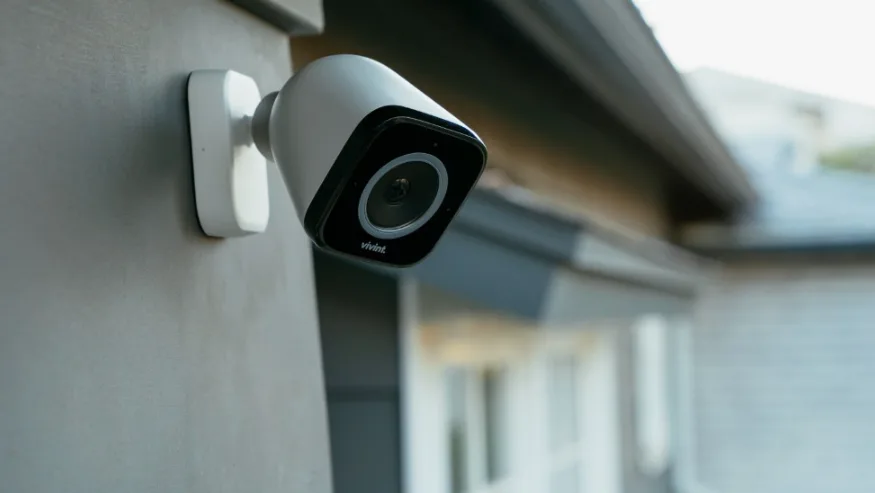
A retail store can look perfectly controlled from the sales counter while still having security gaps a few steps away.
A crowded checkout may block the view of a high-value display. Employees may share a stockroom key. A delivery entrance may be busy for only part of the day but remain vulnerable after closing. Meanwhile, a camera may technically cover an area without capturing the detail needed when something actually happens.
That is why retail security systems should be designed around how the store operates, not around a standard equipment package. The right mix of cameras, alarms, controlled doors, and monitoring depends on where customers move, where merchandise is stored, how employees enter, and which areas become vulnerable when the store closes.
For retailers comparing commercial security systems, the first decision is not which device to buy. It is which parts of the store need visibility, detection, or restricted access.
Key Takeaways
- Store security should follow customer, employee, merchandise, and delivery zones.
- Cameras need different jobs at entrances, checkout areas, sales floors, and stockrooms.
- Alarm coverage becomes especially important when the store is closed or lightly staffed.
- Access control belongs where customer access ends and employee-only space begins.
Build Retail Security Systems Around Store Zones
A useful retail security plan starts by dividing the property into functional zones.
Entrances, windows, stockrooms, checkout areas, loading points, high-value displays, and exterior spaces can each present different security needs.
Instead of asking, “How many cameras does this store need?” retailers can begin with four simpler questions:
- Where do customers enter, browse, pay, and leave?
- Where is high-value or easy-to-remove merchandise located?
- Which rooms should customers never enter?
- Which entrances become vulnerable during deliveries or after closing?
This “front, floor, and back-of-house” approach keeps retail store security tied to real activity rather than equipment count.
Which Store Security Cameras Belong Where?
A camera at the main entrance has a different job from one overlooking a checkout.
Entrance cameras should help provide a useful view of people arriving and leaving. Sales-floor cameras need enough coverage to show movement around displays without creating unnecessary blind spots. Checkout cameras may need to capture activity around the transaction area, while stockroom or receiving cameras can provide context around inventory movement and deliveries.
That means store security cameras should be selected and positioned according to the scene they need to capture.
One wide camera cannot always provide both broad situational awareness and useful close detail. Lighting, mounting height, lens selection, obstructions, recording quality, and storage all influence whether footage will be useful later.
This is where professional security system services can add value. A site assessment can connect camera placement to actual store activity rather than simply choosing the easiest mounting locations.
Match Each Retail Zone to the Right Security Layer
Each retail zone requires a security approach based on its purpose and potential risks. At the main entrance, cameras should capture arrivals and departures, while entry detection provides after-hours monitoring to identify who entered or left the store. On the sales floor, cameras should maintain an overview of merchandise and customer activity, supported by motion detection when the store is closed. Checkout areas benefit from camera coverage that provides transaction context, along with panic or alert options where appropriate to help review incidents during customer and employee interactions.
In the stockroom, cameras should monitor inventory movement, while controlled employee access helps identify who enters restricted areas. Receiving areas should have camera coverage for deliveries and movement, supported by door monitoring to confirm that entrances are used as expected. Similarly, offices and cash rooms should have cameras monitoring the approach to these spaces, with restricted credentials controlling authorized entry.
The goal is not to install every type of security technology in every area. Each layer should address a specific security concern and work alongside the others to provide appropriate coverage throughout the store.
Security Alarm Installation Takes Over When the Store Closes
During business hours, employees and customers create constant movement. After closing, the same movement may signal something very different.
A retail alarm system can use door contacts, window protection, motion detection, and other sensors to identify activity in areas that should be empty. Professional security alarm installation should also account for the store’s closing routine. Cleaning crews, late employees, scheduled deliveries, and staff arriving early can all affect how alarm zones and schedules should be configured.
Alerts should also provide useful context. Knowing that the “receiving entrance” triggered gives the owner more information than a general alarm with no location attached.
The financial impact of organized retail theft can be substantial. In a 2025 federal case, the U.S. Department of Justice reported approximately $1,160,000 in actual losses to victim retailers from a retail theft conspiracy involving major national retailers.
That case does not represent every retail security risk, but it shows why stores should think beyond a single front-door alarm and consider how different entrances, restricted areas, and after-hours zones are protected.
Access Control Begins Where the Customer Area Ends
Most retail stores are designed to welcome people through the front entrance. That does not mean every door inside the building should be equally accessible.
Access control systems are most useful at the boundary between public and restricted space.
Potential locations include:
- stockrooms;
- manager offices;
- cash-handling rooms;
- employee entrances;
- equipment or network rooms;
- secured merchandise areas.
Electronic credentials can also simplify staff changes. Instead of relying entirely on shared physical keys, access permissions can be assigned or withdrawn according to an employee's role.
That does not mean every storage closet needs a card reader. Controlled access should be reserved for doors where knowing and managing who enters provides meaningful value.
Keep Security Visible Without Making the Store Feel Hostile
Retail security has a challenge that warehouses and many offices do not: customers are supposed to feel comfortable entering and spending time inside.
That changes how some devices should be used.
Exterior cameras, alarm signage, and visible protection around entrances can communicate that the property is monitored. Inside the store, equipment should provide useful coverage without overwhelming the shopping environment.
Retail security should support the shopping environment rather than make cameras, sensors, and other hardware the dominant feature of the space.
This is also where Ronald Reagan's well-known phrase, “Trust, but verify,” fits surprisingly well. In retail security, employees may be trusted to do their jobs while access records, camera footage, and alarm events provide a way to verify what occurred when a question arises.
A Busy Retail Floor Changes the Security Priorities
Consider a clothing boutique during a busy weekend afternoon.
Several customers are moving between displays and fitting rooms. The checkout line temporarily blocks part of the cashier's view. An employee leaves the floor to retrieve merchandise from the stockroom while another staff member handles a return.
The security priorities in that moment are very different from an empty store at midnight.
Sales-floor cameras need useful overview coverage. The checkout area needs enough visual context to review a disputed interaction. The stockroom should remain limited to authorized employees. After closing, intrusion detection becomes more important because normal customer movement has stopped.
The lesson is that one retail location can have several security conditions during the same day.
Well-designed retail security systems account for those changes rather than treating the building as a single security zone.
Stronger Retail Security Choices vs. Common Missteps
A stronger retail security plan assigns a specific purpose to each camera rather than installing cameras wherever mounting is easiest. It separates public areas from employee-only spaces instead of relying on shared keys for every restricted area. Alarm zones should reflect store opening and closing routines rather than using one general zone for the entire property. Retailers should also review camera blind spots whenever merchandise layouts change, rather than assuming the original camera views will remain effective. Additionally, receiving areas and delivery activities should be included in the security plan instead of focusing only on customer entrances and sales floors.
Retail layouts change over time. Displays move, inventory patterns shift, and employee routines evolve. Security measures should be reviewed whenever these changes affect visibility, monitoring, or access control.
When Do Commercial Security Systems Need an Upgrade?
An existing system does not automatically need to be replaced simply because newer technology is available.
An upgrade becomes more relevant when the current system no longer answers basic operational questions.
Can footage clearly show an incident at checkout? Can former employees' access be removed easily? Are blind spots developing after the store layout changes? Does the alarm identify which entrance triggered? Can authorized staff review footage when the owner is away?
If the answer to several of those questions is no, the store may need targeted upgrades rather than a complete rebuild.
Professional security system services can also help determine whether existing cameras, wiring, recorders, alarm devices, or access hardware can remain part of the new design.
Protect the Store the Way It Actually Operates
The best commercial security systems for retail are not defined by the highest camera count or the longest list of features.
They are built around what happens at the entrance, across the sales floor, at checkout, in employee-only rooms, during deliveries, and after the doors close.
Cameras provide visibility. Alarms identify unexpected activity. Access control protects restricted spaces. When those tools are planned around actual retail routines, the system becomes easier to understand and manage.
For retailers who need cameras, alarms, access control, networking, and installation considered as part of one property-specific plan, D & G Alarm Systems can help develop a setup around the store rather than forcing the store around the equipment.
FAQ
What Makes Good Retail Security Systems?
Good retail security systems match camera coverage, alarm detection, controlled access, recording, and monitoring to the store's layout and operating routines.
Where Should Store Security Cameras Be Installed?
Common priority areas include entrances, checkout zones, sales floors, high-value displays, stockrooms, and receiving areas. Placement should reflect what the retailer needs the footage to show.
When Is Security Alarm Installation Important for a Retail Store?
Security alarm installation is especially important for detecting activity when the premises should be unoccupied, including protected doors, windows, and interior zones.
Does Every Retail Store Need Access Control?
Not necessarily. Access control is most useful where the store has employee-only or higher-risk spaces such as stockrooms, offices, cash areas, or restricted entrances.
Can Existing Commercial Security Systems Be Upgraded?
Often, yes. Existing cameras, wiring, alarms, or access hardware may be reusable depending on compatibility, condition, coverage requirements, and the goals of the updated system.