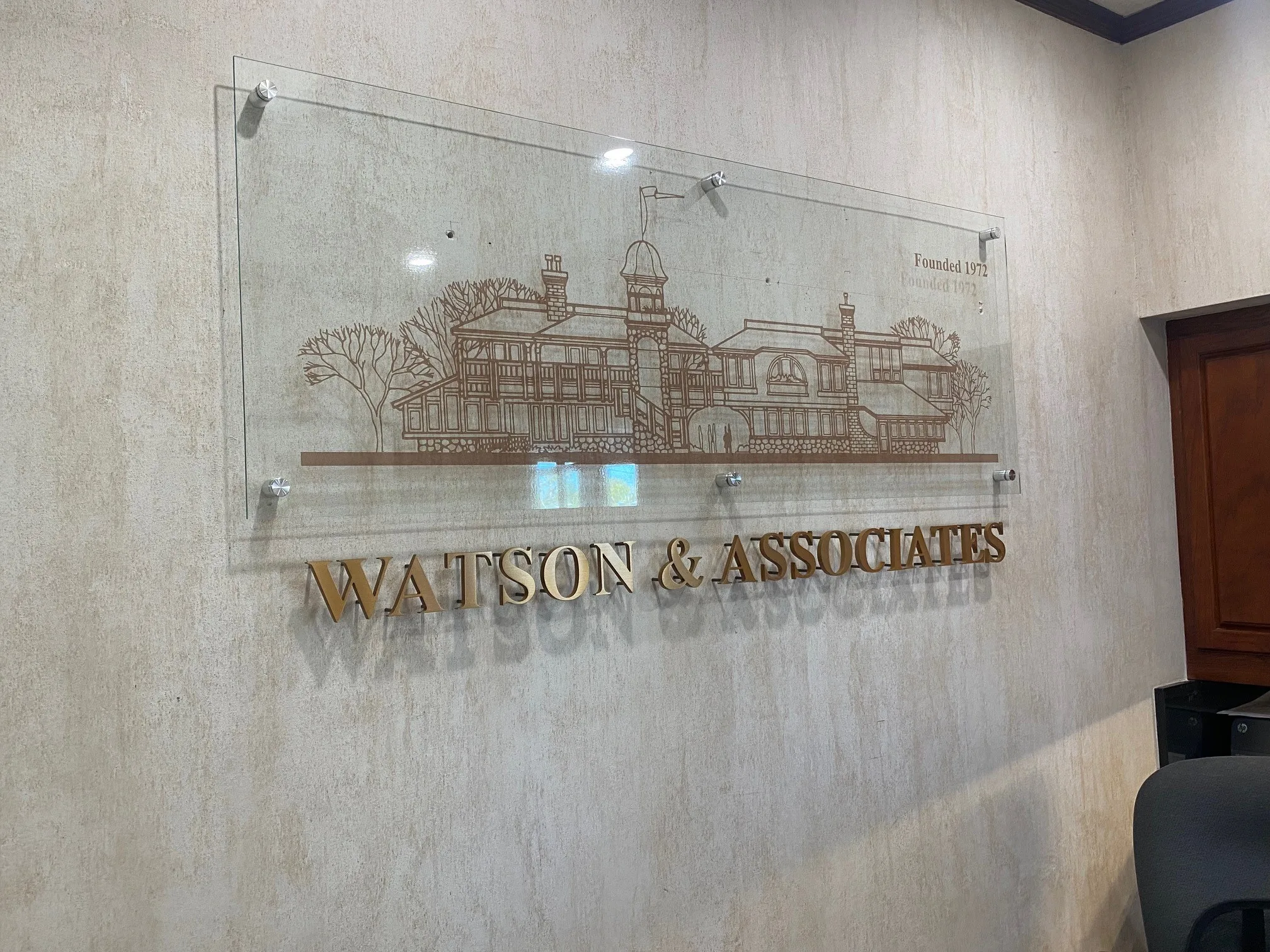
Custom acrylic signs are a popular choice for businesses because they offer a clean, professional appearance while complementing almost any interior or exterior design. From office reception areas and retail stores to directional signage and branded displays, acrylic can provide a polished look that helps reinforce your brand.
However, acrylic surfaces require proper care. Using abrasive materials, harsh chemicals, or improper cleaning techniques can leave scratches, cloudiness, or other surface damage. The good news is that maintaining Custom Acrylic Signs is relatively simple when you use the right cleaning method.
Why Proper Acrylic Sign Maintenance Matters
Acrylic is durable, but its surface can scratch more easily than glass. Dust, dirt, fingerprints, and environmental buildup can gradually make a sign look dull if they are not removed correctly.
Regular cleaning helps:
- Preserve the sign's clarity and finish
- Keep branding and graphics looking professional
- Prevent dirt buildup and staining
- Extend the useful appearance of the signage
- Maintain a clean, welcoming business environment
For businesses investing in custom signage, proper maintenance is an easy way to protect that investment.
What You Need to Clean Acrylic Signs
You do not need specialized equipment for routine acrylic cleaning. Gather:
- A clean microfiber cloth
- Lukewarm water
- Mild dish soap or acrylic-safe cleaner
- A second clean, soft cloth for drying
- A spray bottle, if preferred
Always use clean materials. A cloth containing small particles of dirt or grit can cause fine scratches as you wipe the surface.
Step-by-Step Cleaning Method
1. Remove Loose Dust First
Before wiping the acrylic, gently remove loose dust and debris. You can use a clean, soft microfiber cloth or gently rinse the surface with water.
Avoid immediately rubbing a dusty surface because trapped particles can act like abrasives.
2. Use Mild Soapy Water
Mix a small amount of mild dish soap with lukewarm water. Dampen a microfiber cloth with the solution rather than aggressively spraying the sign.
Gently wipe the surface using light pressure. There is no need to scrub stubborn spots aggressively.
3. Clean in Gentle, Straight Motions
Use smooth, overlapping strokes instead of vigorous circular scrubbing. Pay particular attention to fingerprints, smudges, and areas that receive frequent contact.
If dirt does not come off easily, let the soapy water loosen it rather than applying additional pressure.
4. Rinse Away Residue
After cleaning, use a separate microfiber cloth dampened with clean water to remove soap residue. Remaining cleaning solution can leave streaks or a hazy appearance.
5. Dry With a Soft Cloth
Gently dry the acrylic using a fresh, clean microfiber cloth. Avoid paper towels, rough rags, or tissues that can contain fibers or particles capable of creating fine scratches.
Cleaning Products to Avoid
One of the most important parts of acrylic maintenance is knowing what not to use.
Avoid:
- Abrasive powders and cleaners
- Rough sponges or scouring pads
- Strong solvents
- Acetone-based products
- Ammonia-heavy cleaners unless specifically approved for the acrylic
- Razor blades or sharp scraping tools
- Dirty or coarse towels
If you are uncertain about a cleaning product, check the acrylic manufacturer's recommendations before applying it to the sign.
How Often Should You Clean Custom Acrylic Signs?
Cleaning frequency depends on the sign's location and exposure. Interior acrylic signs in offices may only require occasional dusting and cleaning when fingerprints or smudges appear.
Exterior signage may require more frequent maintenance because it can be exposed to dust, pollution, rain, insects, and other environmental contaminants.
Rather than following a rigid schedule, inspect your signs regularly and clean them whenever visible buildup begins affecting their appearance.
Extra Care for Illuminated and Printed Acrylic Signs
Backlit acrylic signs and signs featuring printed graphics may require additional care. Avoid excessive pressure around printed surfaces, seams, electrical components, or lighting elements.
For illuminated signage, follow the manufacturer's cleaning instructions and make sure electrical components are protected from moisture.
If your sign has specialized finishes, vinyl graphics, paint, or dimensional elements, ask your sign provider for maintenance recommendations before using a new cleaning product.
When to Call an Irvine Sign Company
Routine cleaning can handle everyday dust and fingerprints, but professional assistance may be worthwhile if your signage has deep scratches, damaged graphics, fading, cracked panels, loose components, or electrical problems.
An experienced Irvine sign company can assess the condition of the sign and determine whether it should be repaired, refinished, or replaced. Professional maintenance can also help businesses protect more complex signage installations.
Final Thoughts
Keeping Custom Acrylic Signs looking their best does not require complicated maintenance. Use clean microfiber cloths, mild soap and water, gentle pressure, and non-abrasive cleaning methods. Most importantly, avoid harsh chemicals and rough materials that can permanently damage the surface.
With consistent care and the right cleaning techniques, acrylic signage can continue providing a polished, professional appearance for your business.
FAQs
Can I use glass cleaner on acrylic signs?
Not all glass cleaners are suitable for acrylic. Check the product label or acrylic manufacturer's recommendations before use.
Can acrylic signs be polished if they are scratched?
Some light scratches may be removable with products specifically designed for acrylic, while deeper damage may require professional refinishing or panel replacement.
What is the safest cloth for cleaning acrylic?
A clean, soft microfiber cloth is generally a good choice because it minimizes the risk of surface scratching.
How can I prevent scratches on acrylic signage?
Keep abrasive materials away from the surface, remove dust before wiping, use clean microfiber cloths, and avoid excessive pressure during cleaning.