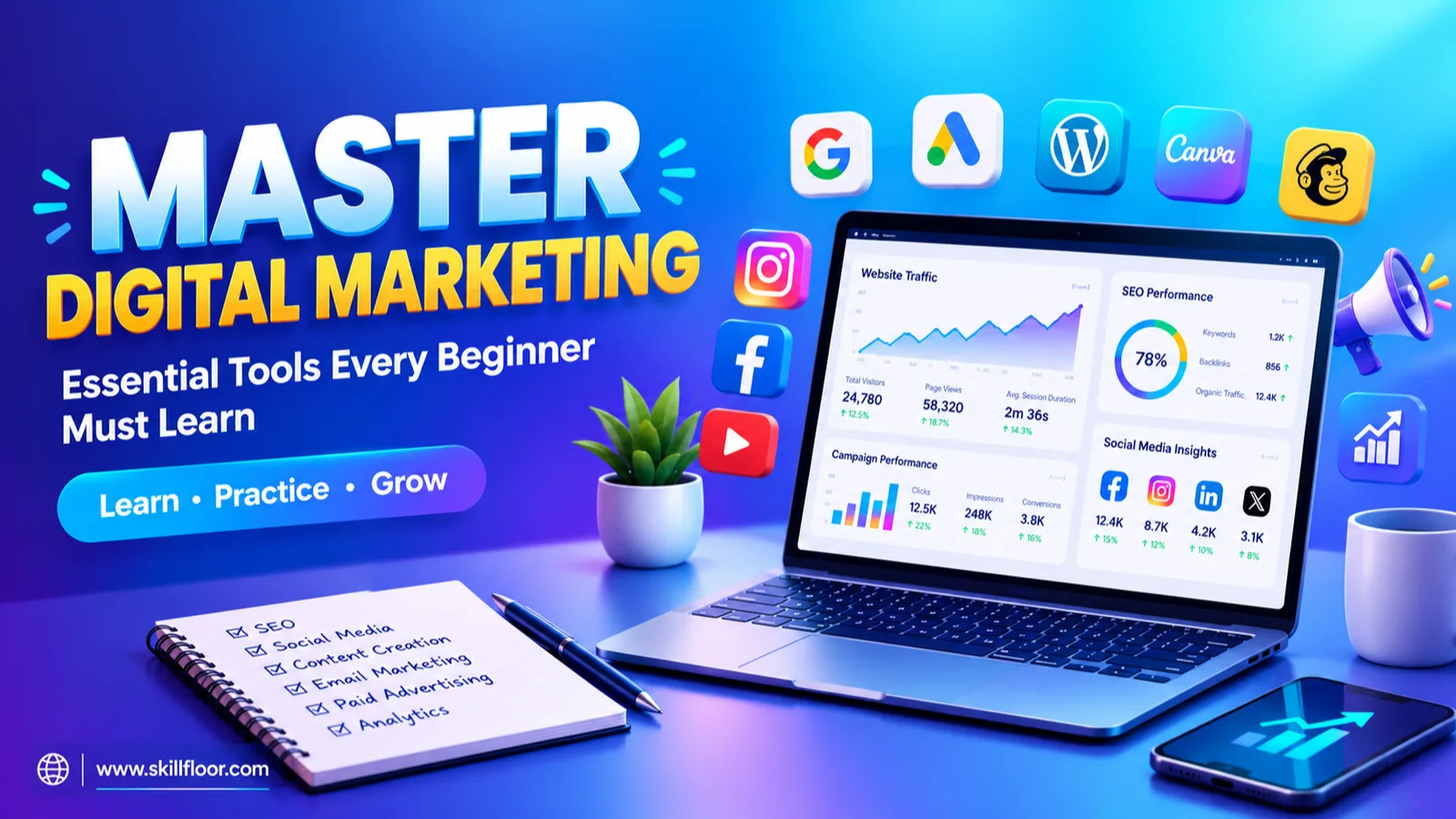
Digital marketing has become an important way for businesses to promote their products and services, reach customers, and grow their online presence. It covers different activities like SEO, social media marketing, paid advertising, and email marketing, where practical knowledge and the right tools matter a lot.
For beginners who want to start a career in this field, just learning digital marketing concepts is not enough. They also need to know how to use different tools and get practical experience. A good digital marketing course can help beginners understand these tools and learn how they are used in real marketing activities.
Digital marketing tools help beginners find the right keywords, check how a website is doing, create content, manage social media accounts, run ads, and track results. Learning to use these tools makes it easier to see how different digital marketing activities work together.
Why Is Learning Digital Marketing Tools Important?
Digital marketing covers many activities, like boosting website rankings, making content, running social media pages, placing ads, and checking how campaigns perform. Every activity needs the right tools to get better results.
Learning digital marketing tools helps beginners see how these activities work in real situations. It also gives them practical skills to handle tasks, track performance, and understand how businesses promote their products online.
Learning these tools helps beginners:
- Understand how digital marketing works in real-world situations.
- Develop practical skills beyond theoretical knowledge.
- Analyze website traffic and marketing campaign performance.
- Create and manage digital marketing campaigns.
- Build a portfolio to showcase their skills.
- Improve their confidence when applying for internships and entry-level jobs.
The best way to learn digital marketing is to understand each concept and use the right tools to practice it, so you gain practical knowledge and improve your skills.
Essential Digital Marketing Tools Every Beginner Should Learn
1. Google Search Console – For Search Engine Optimization (SEO)
Google Search Console is a free tool that lets website owners see how their sites show up in Google Search results. It is helpful for beginners who want to learn SEO and make their websites easier to find.
Key Features:
- Monitor website clicks and impressions.
- Find keywords that bring visitors to a website.
- Check website indexing status.
- Identify SEO-related website issues.
How Beginners Can Get Hands-On Experience:
Link a blog or website to Google Search Console. Look at its search performance, find popular keywords, and see how people discover the website through Google.
2. Google Analytics 4 – For Website Analytics
Google Analytics 4 (GA4) helps marketers see how visitors use a website or app. It gives useful details about website traffic, user activity, and marketing performance.
Key Features:
- Track website traffic.
- Identify traffic sources.
- Understand user activity.
- Monitor website engagement.
How Beginners Can Get Hands-On Experience:
Try out the Google Analytics demo account and practice reviewing website traffic, user activity, and traffic sources. This helps beginners see how businesses measure how well a website is doing.
3. Semrush – For Keyword Research and Competitor Analysis
Semrush is a digital marketing tool that helps marketers find keywords, research competitors, and improve website SEO. It is helpful for beginners who want to learn how keyword research works.
Key Features:
- Find relevant keywords.
- Check keyword search volume.
- Study competitor websites.
- Track keyword rankings.
How Beginners Can Get Hands-On Experience:
Pick a topic, like education, fashion, or fitness. Use Semrush to find related keywords and choose good topics for blog writing and website content.
4. Meta Business Suite – For Social Media Marketing
Meta Business Suite lets businesses manage their Facebook and Instagram accounts in one place. It lets beginners learn how businesses plan content, run social media pages, and track engagement.
Key Features:
- Schedule Facebook and Instagram posts.
- Manage messages and comments.
- Check post-performance.
- Monitor audience engagement.
How Beginners Can Get Hands-On Experience:
Make a sample social media page for a business, plan a week of content, and schedule the posts. Look at the results to see which posts get better engagement.

5. Canva – For Graphic Design and Content Creation
Canva is an easy-to-use design tool that lets users make attractive marketing content even without advanced design skills. It comes in handy for making social media posts and promotional materials.
Key Features:
- Design social media posts.
- Create banners and advertisements.
- Make presentations and infographics.
- Use ready-made templates.
How Beginners Can Get Hands-On Experience:
Pick a sample business and use Canva to design five social media posts, one promotional banner, and a simple brand logo.
6. WordPress – For Website and Blog Management
WordPress is a well-liked platform that lets users build and manage websites without needing advanced coding knowledge. It is helpful for beginners who want to learn how to manage websites, publish content, and improve their digital marketing skills.
Key Features:
- Create and publish blog posts.
- Manage website pages.
- Customize website designs.
- Install themes and plugins.
How Beginners Can Get Hands-On Experience:
Build a simple WordPress website or personal blog. Post an article, add images, and sort your content with categories and tags.
7. Mailchimp – For Email Marketing
Mailchimp is an email marketing platform that helps businesses create and send emails to their subscribers. It is helpful for beginners who want to learn how businesses connect with customers through email campaigns.
Key Features:
- Create email campaigns.
- Design email templates.
- Manage subscriber lists.
- Set up email automation.
How Beginners Can Get Hands-On Experience:
Write a sample welcome email for a business you make up. Create an email that introduces the brand, shares product details, and encourages customers to visit the website.
8. Google Ads – For Paid Advertising
Google Ads is an online advertising platform that helps businesses promote their products and services through Google Search and other advertising channels. It matters for beginners who are interested in paid marketing.
Key Features:
- Create search ad campaigns.
- Research advertising keywords.
- Set advertising budgets.
- Track clicks and impressions.
How Beginners Can Get Hands-On Experience:
Set up a sample advertising campaign for a business. Practice writing ad headlines and descriptions, picking keywords, and choosing a target audience without actually launching a paid campaign.
How to Get Hands-On Experience with Digital Marketing Tools
Learning digital marketing tools is only the first step. Beginners must practice regularly to understand how these tools work and to gain hands-on experience.
1. Start Your Own Blog or Website
Build a personal website with WordPress and publish blog posts on it. Use Google Search Console and Google Analytics 4 to practice basic SEO and track how your website performs.
2. Create a Social Media Page
Pick a business niche and set up a sample Instagram or Facebook page. Create posts in Canva and schedule your content with Meta Business Suite.
3. Practice Keyword Research
Pick a topic and find related keywords with Google Trends and Semrush. Use these keywords to plan blog topics and build a content calendar.
4. Build Sample Email Campaigns
Use Mailchimp to create welcome emails, promotional messages, and newsletters. Practice designing email templates and learn how businesses talk to their subscribers.
5. Explore Advertising Campaigns
Learn Google Ads and Meta Ads Manager by building sample campaigns. Practice choosing keywords, writing ad content, selecting audiences, and reading campaign reports.
6. Build a Digital Marketing Portfolio
Gather your practical projects and organize them into a portfolio. Include your work to show employers the skills you have learned.
Free vs. Paid Digital Marketing Tools: What Should Beginners Choose?
People who are new to digital marketing often wonder whether they should use free tools or paid ones. Free tools are a good place to begin, since they let you learn the basic features and get hands-on experience without spending any money. Paid tools come with extra features that help marketers handle more advanced tasks and study how well their campaigns are doing.
If you are a beginner, it is better to start with free tools. After you understand how these tools work and gain some experience, you can look into paid plans, depending on what you need to learn and what your projects require.
Some beginner-friendly free digital marketing tools include:
Digital Marketing ActivityRecommended ToolSEOGoogle Search ConsoleWebsite AnalyticsGoogle Analytics 4Keyword ResearchGoogle TrendsSocial Media ManagementMeta Business SuiteGraphic DesignCanva FreeWebsite ManagementWordPressEmail MarketingMailchimpPaid AdvertisingGoogle Ads
Beginner Tip: Begin with free tools, try out their features, and learn how they work. Think about paid plans only when your digital marketing projects need extra features.
How to Choose the Right Digital Marketing Tools as a Beginner
Picking the right digital marketing tools can make learning simpler for beginners. Focus on what interests you, your learning goals, and practical needs rather than trying every tool.
1. Identify Your Area of Interest
Based on your career interests, decide if you want to learn SEO, social media marketing, content creation, email marketing, or paid advertising.
2. Start with Beginner-Friendly Tools
Pick tools with simple features, easy navigation, and free learning resources so you can grasp their basic functions without confusion.
3. Focus on Practical Application
Practice using digital marketing tools rather than just watching tutorials. Try making content, researching keywords, and running sample campaigns.
4. Understand the Results
Learn to read reports, check how campaigns are doing, and spot areas that need improvement. These activities help you make better marketing decisions.
5. Build Projects Gradually
Begin with small tasks, like creating social media posts or writing blogs. Slowly take on bigger projects as your confidence grows.
6. Choose the Right Training Support
Think about learning through a course provider such as Skillfloor, which offers digital marketing training to help beginners understand tools and gain practical knowledge.
A Simple 30-Day Digital Marketing Tools Learning Plan
If you are unsure how to begin, follow this simple learning roadmap.
TimelineLearning FocusPractical ActivityDays 1–5SEO ToolsKeyword research and website analysisDays 6–10Social Media ToolsCreate and schedule social media postsDays 11–15Content MarketingWrite and publish a blog postDays 16–20Analytics ToolsExplore website traffic and reportsDays 21–25Email MarketingCreate a sample email campaignDays 26–30Paid Ads and PortfolioPrepare a sample campaign and document your projects
By the time these 30 days are over, you will have tried out several digital marketing tools and finished a number of beginner-level practical tasks.
Digital marketing is a practical skill that becomes easier to grasp when you use the right tools. Platforms like Google Analytics 4, Google Search Console, Canva, Google Ads, SEMrush, Meta Business Suite, Mailchimp, and ChatGPT offer valuable opportunities to develop industry-relevant skills.
For beginners, the best approach is to learn one tool at a time. Focus on real or sample projects to practice and document your progress along the way. You don't need to master every platform right away; instead, concentrate on understanding the fundamentals and gradually building your practical experience.
Remember, the most effective way to learn digital marketing is by actively engaging in it. Start with free tools, tackle small projects, and create a portfolio that showcases your abilities.
Your journey toward becoming a skilled digital marketer begins with your first hands-on project!