
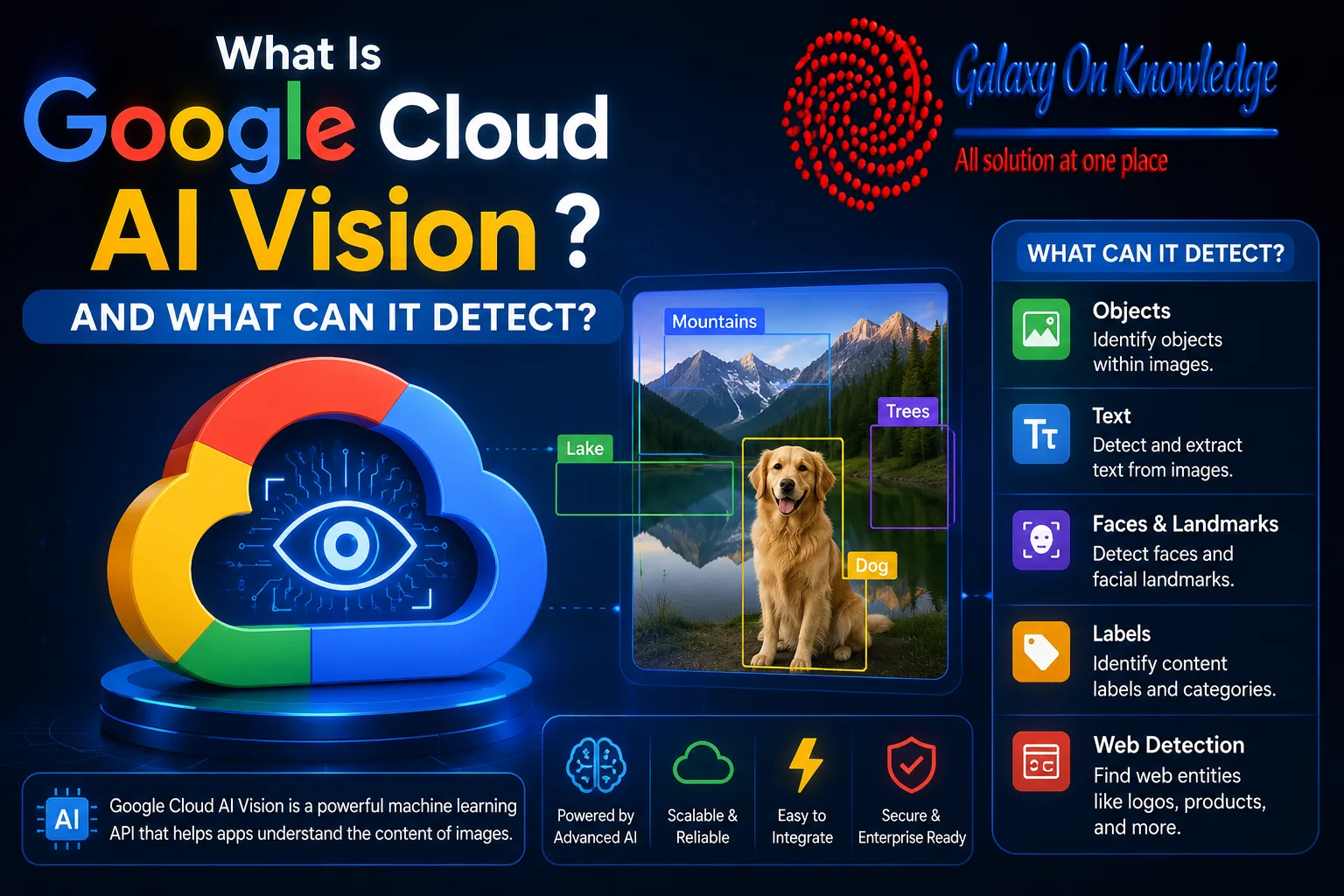
What Is Google Cloud AI Vision and What Can It Detect?
A photograph can hold a receipt total, a product logo, a street address, or a safety concern that ordinary software cannot read. Google Cloud AI Vision gives applications a way to turn those pixels into structured data.
Google Cloud's computer-vision offerings analyze images and related visual data, while the Cloud Vision API is the main developer tool for image analysis. Businesses use it to identify objects, read text, detect faces and landmarks, and review submitted content without training a model from scratch. Its features, pricing, limits, and alternatives shape where it fits.
What Is Google Cloud AI Vision and How Does AI Vision Work?
"What is Google Cloud Vision AI?" is a common search question, but the name covers a wider family of Google services. The Google Cloud Vision API is the developer-facing service that applies pretrained vision models to images. Google Vision AI can also refer more broadly to Google's cloud computer-vision products, including tools built for video and custom workflows.
An application sends an image through REST or RPC, selects one or more detection features, and receives structured JSON results. Those results can include labels, extracted text, object coordinates, confidence scores, landmarks, and safety signals. Images may come from a local file, a public web address, or a Cloud Storage bucket.
 How does AI vision work in this setting? An AI vision model has learned statistical visual patterns from training data. It compares patterns in a submitted image with those learned representations, then returns predictions rather than human certainty.
Image classification describes the overall scene. Object detection identifies items and their locations. Optical character recognition, or OCR, reads text. Content moderation estimates whether an image may contain explicit material.
The question "What are the 4 types of AI?" usually refers to broad categories such as reactive machines and limited-memory systems. Those categories are not the same as the practical image tasks in this API. Within Google's wider product range, top free Google AI tools show how vision sits beside conversational, research, and productivity services.
What Is Google Cloud AI Vision API Designed to Detect?
Cloud Vision API includes label detection for broad subjects such as "vehicle" or "mountain." Object localization finds items within an image. Text detection reads short text, while document OCR is better suited to dense pages.
Other features detect faces without identifying people, recognize landmarks and logos, find visually similar web content, and assess explicit-content risk through SafeSearch. A result is a prediction, not a verified fact. Image quality, lighting, language, context, and gaps in training data all affect accuracy.
What Is Google Cloud AI Vision Used For in Real Workflows?
The answer to "What is vision AI used for?" is often administrative rather than futuristic. Organizations scan invoices and forms, organize photo libraries, review user-uploaded images, identify products or logos, and create image descriptions for accessibility.
A Google Cloud AI Vision example is a retail system that detects packaged products and reads shelf labels from store photographs. Production systems still need human review, business rules, and a way to handle unclear results.
Developers may pair vision features with an interface built in Firebase, or prototype multimodal prompts in AI Studio. Those services complement image recognition rather than replace it.
Is Google Cloud Vision API Free? Pricing, Setup, and Practical Limits
"Is Google Cloud Vision API free?" has a qualified answer. The service uses usage-based billing, and each feature applied to an image counts as a billable unit. Google lists 1,000 free feature units per month for Vision API. New Google Cloud customers may also qualify for introductory credits.
Free access does not mean unlimited access, and a billing account may still be required. Costs change by feature, volume, region, and related products. For example, Product Search has separate charges for prediction queries and catalog image storage. Exact rates belong in the current Google Vision API documentation and official pricing pages, not in fixed estimates copied from secondary sites.
Basic setup follows a short path:
- Create or select a Google Cloud project and enable Vision API.
- Configure authentication and choose an image source.
- Send a request with the required detection features.
- Inspect the returned JSON before using it in an application.
Privacy and consent matter when images contain people, documents, or private locations. Teams must also plan for latency, quotas, retention settings, retries, and false positives.
Applying OCR and label detection to one image creates two feature uses, not one all-purpose image scan.
Is Vision AI Free for Small Projects?
"Is vision AI free?" For classroom work, prototypes, and low-volume testing, the monthly allowance can be enough. Searches for "Google Cloud Vision API free" or "Vision AI free" often miss the billing conditions behind that allowance.
At production scale, thousands or millions of images can create recurring charges. Teams should estimate feature calls, retries, Cloud Storage, networking, and related services. Prices and free allowances can change.
What Is Google Cloud Vision AI Compared With Gemini Vision AI?
"What is Gemini vision AI?" Gemini's visual capabilities are multimodal. They can interpret an image in a conversational context, summarize what appears in it, or answer follow-up questions. The Cloud Vision API focuses on defined detections and structured output.
A predictable OCR field, label, bounding box, or safety score often suits Vision API. A question about the meaning or context of an image may suit Gemini better. Gemini's broader role also appears in Gemini Live voice assistance and Gemini in Gmail features.
Azure AI Vision offers comparable computer-vision functions. The better platform depends on cloud contracts, feature support, governance, latency, and existing infrastructure.
Where Google Cloud AI Vision Fits, and Where It Falls Short
Google Cloud AI Vision offers mature pretrained models, OCR, broad language support, scalable access, and structured API responses. It can shorten the path between an image upload and usable application data.
However, recurring usage costs, network dependence, quotas, imperfect recognition, and limited control over pretrained behavior remain real constraints. Specialized industrial imagery, medical images, or highly specific product categories may require custom computer-vision models.
No-code tools lower the barrier to testing, but they do not remove security review, model monitoring, or human oversight.
Conclusion
Google Cloud AI Vision is a managed layer between raw images and useful application data. It turns pixels into labels, text, locations, and safety signals at scale without requiring every team to build its own model.
Its value depends on careful use of pretrained vision models, realistic cost planning, and appropriate privacy controls. The service makes visual information easier for ordinary software systems to interpret, but it does not make those systems magically human.