
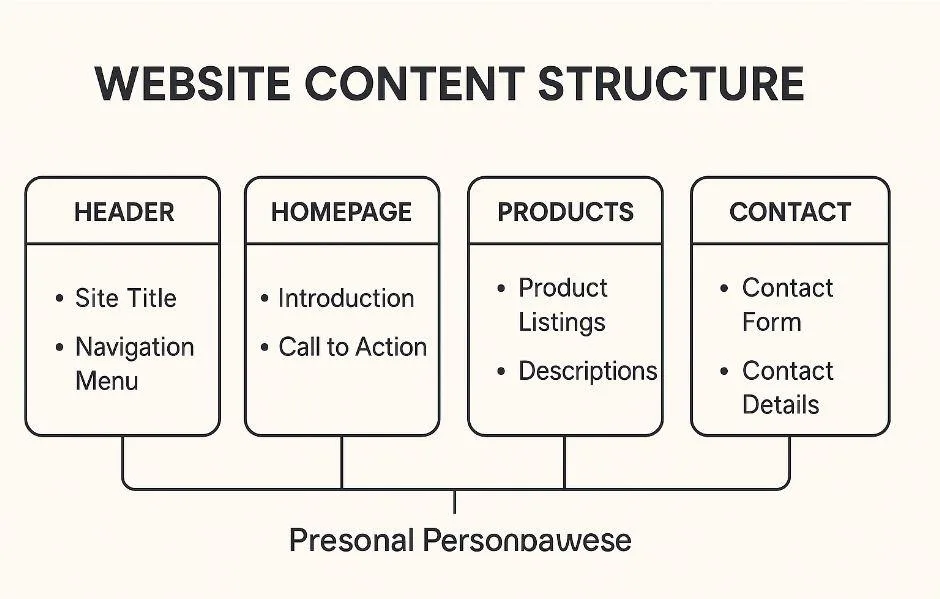
A successful website does not begin with colours, animations, or attractive layouts.
It begins with structure. Before a designer creates visuals or a developer writes a single line of code, every successful website needs a clear blueprint. That blueprint is called a website wireframe. A website wireframe helps teams organize pages, define user journeys, and establish a logical structure before moving into design and development. Instead of focusing on aesthetics, it focuses on usability, ensuring visitors can easily find information and complete the actions that matter most.
In this guide, you'll learn what a website wireframe is, how it supports website information architecture, why website navigation structure matters, when to use a website wireframe template, and what you can learn from a wireframe website example.
What Is a Website Wireframe?
A website wireframe is a low-fidelity representation of a website's layout and structure. Rather than showing colours, typography, or branding, it focuses on where content should appear, how pages connect, and how users move through the website.
A website wireframe typically outlines:
- The page layout
- Content hierarchy
- Navigation placement
- Calls-to-action
- User flow between pages
- Functional elements such as forms, buttons, and menus
Think of it as the architectural plan for your website. Just as a building is planned before construction begins, a website should be wireframed before design starts.
Why Every Website Should Start with a Wireframe
Many businesses jump directly into visual design because it feels more exciting. However, skipping wireframing often leads to expensive revisions later.
Without a website wireframe:
- Important content gets buried.
- Navigation becomes confusing.
- User journeys feel disconnected.
- Stakeholders disagree after designs are complete.
- Developers spend time rebuilding layouts.
Creating a website wireframe first allows everyone to agree on structure before visual details are introduced. This saves time, reduces costs, and creates a smoother design process.
How Website Information Architecture Shapes User Experience
A wireframe is only one part of a larger planning process. Behind every effective wireframe is strong website information architecture.
Information architecture is the way your website's content is organised, grouped, and connected. It ensures users understand where information lives and how to reach it.
Good website information architecture answers questions such as:
- Which pages should exist?
- How should pages be grouped?
- What information belongs together?
- Which pages deserve higher priority?
When information architecture is planned correctly, users spend less time searching and more time taking action.
Instead of guessing where something might be, they naturally follow the structure you've created.
Building a Clear Website Navigation Structure
Navigation is one of the most important parts of any website. Even great content becomes difficult to use if visitors cannot find it.
A well-planned website navigation structure should be:
- Simple
- Consistent
- Predictable
- Easy to scan
- Focused on user goals
For example, a service business might organise navigation like this:
- Home
- Services
- Industries
- Case Studies
- About
- Blog
- Contact
Every menu item should help visitors move naturally toward the information they need. When navigation becomes overloaded with unnecessary pages, users become overwhelmed and conversions often decrease. A website wireframe helps simplify navigation before design begins.
Using a Website Wireframe Template
Starting from a blank page can be difficult. This is where a website wireframe template becomes useful. Templates provide a starting structure that can be adapted for different industries and website types.
A typical homepage template may include:
- Header with navigation
- Hero section
- Introduction
- Service overview
- Benefits
- Testimonials
- Frequently Asked Questions
- Call-to-action
- Footer
An internal service page template might include:
- Page heading
- Service overview
- Features
- Process
- FAQs
- Contact section
Templates improve consistency across projects while reducing planning time. However, they should always be customised to suit the goals of the business rather than copied exactly.
Wireframe Website Example
Imagine you're creating a website for a digital marketing agency.
Homepage
- Logo
- Main navigation
- Hero headline
- Primary call-to-action
- Services section
- Client logos
- Case studies
- Testimonials
- Contact form
- Footer
Service Page
- Service title
- Brief introduction
- Key benefits
- Step-by-step process
- Portfolio examples
- FAQs
- Contact CTA
Notice that none of these sections include colours or design elements. The goal is to establish structure before visual styling begins.
Website Wireframes Help Content Planning
Content becomes much easier to create when each page already has a clear purpose.
Instead of wondering what to write, content writers understand:
- The page objective
- Target audience
- Primary message
- Supporting information
- Calls-to-action
This alignment improves consistency across the website and ensures every page contributes to the overall business goals.
Rather than filling pages with unnecessary text, content can be written with intention.
Wireframes Improve SEO Planning
Although wireframes are not an SEO strategy by themselves, they create a stronger foundation for optimisation.
A well-planned website wireframe supports SEO by helping teams:
- Create logical page hierarchies
- Avoid duplicate content
- Improve internal linking
- Organise topic clusters
- Plan landing pages effectively
Search engines reward websites that are well organised because they are easier to crawl and understand.
Planning structure early makes future SEO work significantly more effective.
Common Website Wireframing Mistakes
Even experienced teams can make mistakes during wireframing.
Some of the most common include:
- Focusing on visual design too early
- Creating too many pages
- Ignoring user journeys
- Complicating navigation
- Forgetting mobile layouts
- Prioritising stakeholder opinions over user needs
Keeping wireframes simple allows teams to solve structural problems before they become expensive design issues.
When Is a Website Wireframe Complete?
A website wireframe is ready when:
- Every page has a clear purpose.
- Navigation feels logical.
- User journeys are easy to follow.
- Stakeholders understand the website structure.
- Designers and developers can begin work confidently.
At this point, the wireframe becomes the shared blueprint for the entire project. Everyone works from the same plan, reducing confusion throughout design, content creation, and development.
Final Thoughts
A website wireframe is far more than a collection of page sketches.
It provides the structural foundation that supports design, content, user experience, and long-term website growth. By investing time in planning your website information architecture, refining your website navigation structure, choosing the right website wireframe template, and learning from a practical wireframe website example, you create a website that feels intuitive from the very beginning. Just as a well-planned wireframe lays the foundation for a successful website, investing in a WordPress Speed Optimization Service ensures that the final website performs as efficiently as it is structured. Together, thoughtful planning and optimized performance create a better experience for both users and search engines. Strong websites rarely happen by accident.
They are planned with clarity, built with purpose, and refined around the people who use them.