
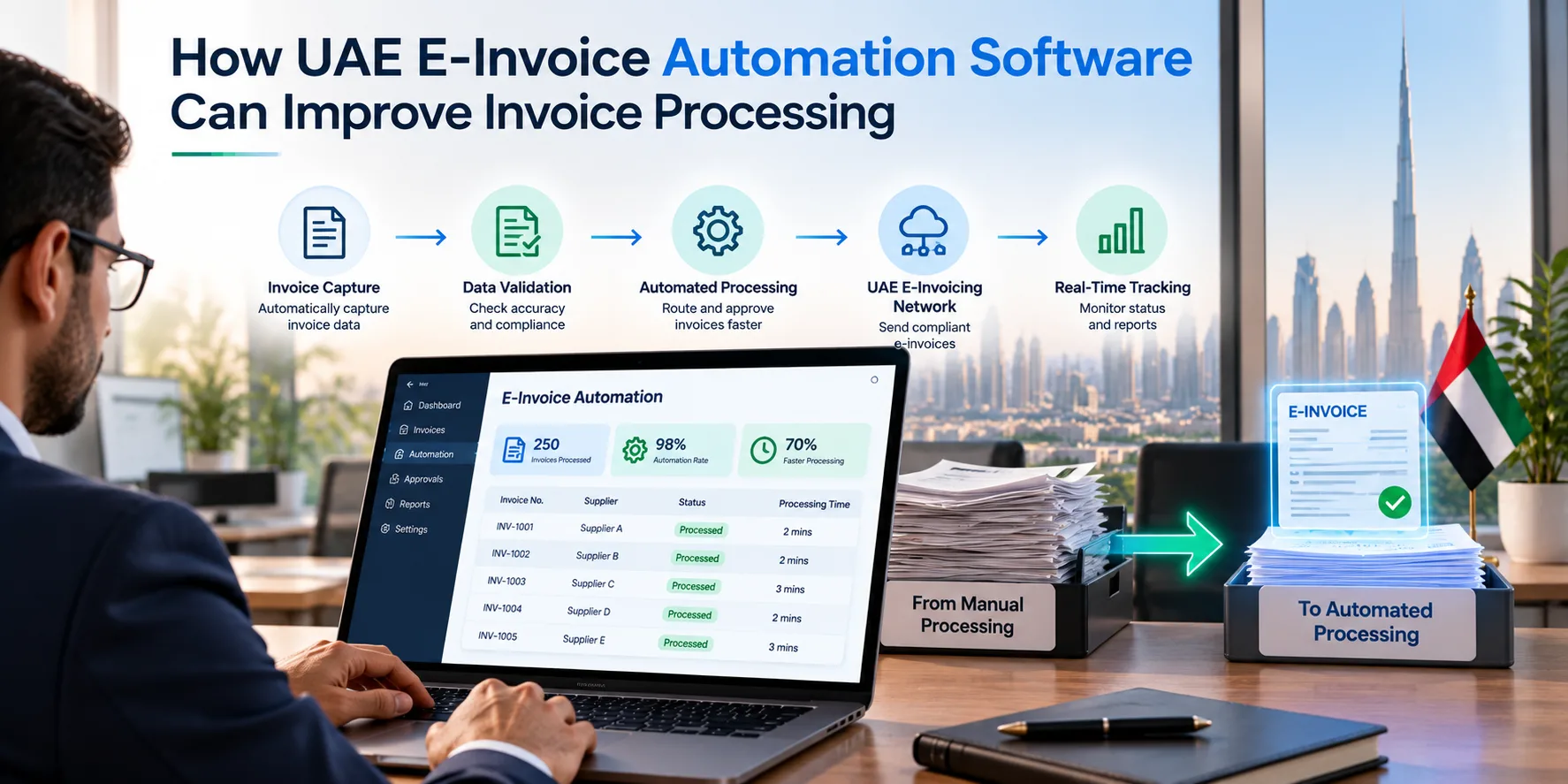
Managing invoices becomes more demanding as businesses grow. Finance teams may need to process hundreds of transactions while checking customer details, verifying amounts and maintaining accurate accounting records. When these activities depend on spreadsheets and manual data entry, even a small error can delay payments or create additional reconciliation work. UAE e-invoice automation software can help businesses reduce repetitive tasks and improve visibility into their invoicing processes.
Choosing the right solution requires more than finding software that generates invoices. Businesses need to consider how invoice information moves between systems, how errors are identified and whether the platform supports their operational and regulatory requirements. Companies can explore a UAE e-invoicing solution while assessing their existing processes and identifying the capabilities they need.
The goal is to make invoice processing more consistent, reduce avoidable manual work and give finance teams better control over transactions. Achieving this requires reliable data, suitable integrations and clear procedures for handling exceptions.
What Does E-Invoice Automation Actually Mean?
Invoice automation uses software to handle repetitive activities that would otherwise require manual intervention. Depending on the system, these activities may include collecting invoice information, validating fields, transferring data between applications, routing transactions for approval and updating processing statuses.
However, ordinary digital invoicing and structured electronic invoicing are not necessarily the same thing. A PDF invoice sent by email is digital, but it does not automatically qualify as a structured e-invoice under the UAE framework. Businesses must understand the applicable requirements and ensure that their chosen solution supports the required exchange process.
Automation also does not mean that every decision can be left to software. Employees may still need to review unusual transactions, correct incomplete information and investigate rejected invoices. The objective is to reduce repetitive work while maintaining appropriate checks and human oversight.
Which tasks can be automated?
Depending on the platform and its configuration, businesses may be able to automate:
- Transferring invoice information from an ERP or accounting system.
- Checking whether required fields are present.
- Identifying inconsistencies in invoice data.
- Routing transactions through internal approval workflows.
- Communicating processing statuses and error messages.
- Maintaining records that help finance teams reconcile transactions.
Available capabilities vary by provider, so businesses should verify which functions are included and which require additional configuration.
Why Businesses Need a More Structured Invoicing Process
Manual invoice processing can create problems that become more difficult to manage as transaction volumes increase. An employee may enter a customer identifier incorrectly, copy an outdated address or use different invoice references across systems. These issues can require repeated checks and corrections before a transaction is completed.
Automation can help reduce these risks when the underlying data is accurate and the workflow is configured correctly. For example, a business may connect its ERP to an invoicing platform so that invoice details are transferred instead of being entered again. Validation checks can then identify missing information before the transaction proceeds.
Reducing repetitive data entry
Consider a distributor that generates invoices after dispatching products. Its ERP already contains customer information, product details, quantities and prices. If employees must copy these details into another application, they spend time repeating work that the original system has already completed.
A suitable integration can transfer the relevant information automatically. Employees can then focus on reviewing exceptions and handling transactions that require additional attention.
Improving visibility into invoice status
Finance teams need to know whether invoices have been processed, rejected or held for correction. When these statuses are scattered across emails and separate applications, employees may struggle to identify outstanding work.
A connected workflow can make status information easier to review, provided the platform supports the necessary updates and reporting. This helps teams investigate problems before they affect reconciliation or routine billing activities.
Features to Look for When Choosing Automation Software
Not every business needs the same level of automation. A company processing straightforward sales invoices may prioritise a simple workflow, while an organisation operating across several departments may need more advanced integrations and monitoring.
1. Integration with existing systems
Check whether the platform works with your current ERP or accounting software. Ask which software versions are supported, how data is transferred and whether additional development is required.
The integration should preserve important invoice details and make it possible to trace transactions back to their original records. Businesses should also understand what happens when a connection fails or a transaction cannot be processed.
2. Data validation and error handling
Automation is useful when it helps businesses identify problems instead of moving incorrect information through the workflow.
Ask how the platform detects missing fields, inconsistent values and other validation errors. Employees should receive understandable messages that explain what needs attention. The business should also establish who will correct errors and confirm that the transaction has been processed successfully.
3. Workflow and approval controls
Some invoices may require internal approval before they can proceed. Businesses should check whether the platform supports their approval procedures and whether authorised employees can review transactions when necessary.
Access permissions should reflect employees' responsibilities. For example, a staff member who enters invoice information may not need the same permissions as someone responsible for approving financial transactions.
4. Reporting and reconciliation
Finance teams need reliable records to compare invoices with accounting entries and investigate discrepancies. Check whether the platform provides useful processing statuses, searchable records and reports that support the company's reconciliation process.
The aim is to make outstanding issues easier to identify without relying on multiple spreadsheets or manual status updates.
5. Security and ongoing support
Invoice records can contain commercially sensitive information. Businesses should review user access controls, data protection measures and the provider's procedures for handling technical incidents.
Support arrangements also deserve attention. Clarify who will investigate integration problems, how urgent issues are escalated and whether configuration assistance is included after implementation.
A Practical Example: From Manual Invoicing to Automation
Imagine a wholesaler that processes invoices through an ERP but uses a separate application for electronic invoicing. Employees currently export transaction data, check the information manually and upload records into the second system.
This process creates several potential problems. A missing customer field may go unnoticed, an employee may upload the same transaction twice, and finance staff may not know which invoices require correction.
The company could evaluate an automated workflow in which the ERP transfers relevant invoice data to the connected platform. Validation checks identify incomplete information, while processing updates help employees track transactions that need attention.
Before adopting the system, the business should test several scenarios:
- A routine invoice with complete information.
- An invoice with a missing mandatory field.
- A transaction that fails because of a temporary connection problem.
- A repeated submission that could create a duplicate.
- An invoice that needs correction before processing can continue.
The team should record the results and check whether employees can resolve each problem using the available tools. This approach provides practical evidence of how the software performs under everyday conditions.
Businesses evaluating their options can also review electronic invoicing services in the UAE as part of their assessment of the required workflow, system compatibility and implementation support.
Preparing for UAE E-Invoicing Requirements
Automation should be planned alongside the UAE's electronic invoicing requirements rather than treated as a separate software project. Businesses need to verify the rules and implementation dates applicable to their circumstances using current official guidance.
The UAE framework uses structured invoice information and a prescribed exchange process. Businesses should confirm whether their chosen service supports the required workflow and verify the provider's accreditation status through the UAE Ministry of Finance.
Before implementation, companies should review their existing invoice data, identify the systems involved and determine which departments will manage the new process. Finance teams can document the required invoice information, while IT teams assess integration options and prepare test scenarios.
A practical implementation plan should cover the following activities:
- Review existing invoice records and correct data gaps.
- Confirm software compatibility and integration requirements.
- Define responsibilities for configuration and validation.
- Test representative transactions and common error scenarios.
- Train employees to review statuses and resolve exceptions.
- Establish support and monitoring procedures.
Businesses should also understand which services are included in the provider's proposal and which activities require internal resources or additional costs. A clear implementation plan helps teams identify unresolved issues before relying on the system for routine invoicing.
Final Thoughts
Automating invoice processing can help businesses reduce repetitive data entry, improve transaction visibility and manage exceptions more consistently. However, the results depend on data quality, suitable system integration and the controls used throughout the invoicing process.
Before choosing a platform, businesses should identify their actual requirements, test realistic transactions and establish clear responsibilities for handling errors. They should also verify that the proposed solution supports the applicable UAE electronic invoicing requirements.
A well-planned implementation gives finance teams a clearer view of their invoicing workflow and helps businesses prepare their systems for structured electronic transactions.