For Chartered Accountant (CA) firms, managing invoices is an essential part of daily accounting operations. As the number of clients grows, so does the volume of invoices, bills, and financial documents that need to be processed. Extracting information from each document manually can consume valuable time, increase the chances of errors, and create additional pressure during tax filing periods and financial reporting deadlines.
This is where Optical Character Recognition (OCR) and Artificial Intelligence (AI) can make a difference. By automating invoice data extraction, these technologies help CA firms reduce repetitive work, improve data accuracy, and manage larger workloads more efficiently.
AI-powered accounting solutions such as Akounter AI by iZoe help simplify invoice processing by extracting important information from invoices and reducing the need for manual data entry.
Why Do CA Firms Struggle with High Invoice Volumes?
CA firms often handle financial documents for multiple clients across different industries. Each client may have different invoice formats, transaction volumes, and reporting requirements. Managing these documents manually can create several operational challenges.
1. Time-Consuming Manual Data Entry
Accountants often need to enter invoice numbers, dates, vendor details, taxable amounts, and total values into accounting systems. Repeating this process for hundreds or thousands of invoices can take considerable time.
2. Increased Risk of Human Errors
Manual data entry can lead to incorrect invoice numbers, amounts, dates, or vendor names. Even small mistakes may require additional verification and corrections, affecting the overall accounting workflow.
3. Difficulty Managing Multiple Clients
As a CA firm acquires more clients, the number of invoices and supporting documents increases. Without an efficient process, managing documents across multiple client accounts can become difficult.
4. Pressure During Filing Deadlines
GST returns, financial statements, audits, and other compliance activities often come with strict deadlines. When accountants spend too much time entering invoice data, less time remains for reviewing transactions and completing important financial tasks.
5. Limited Time for Higher-Value Work
When accounting teams focus heavily on repetitive data entry, they have less time for reconciliation, financial analysis, client communication, and advisory services.
What Is OCR and How Does It Work in Accounting?
Optical Character Recognition (OCR) is a technology that identifies and converts text from scanned documents, images, and digital files into machine-readable information.
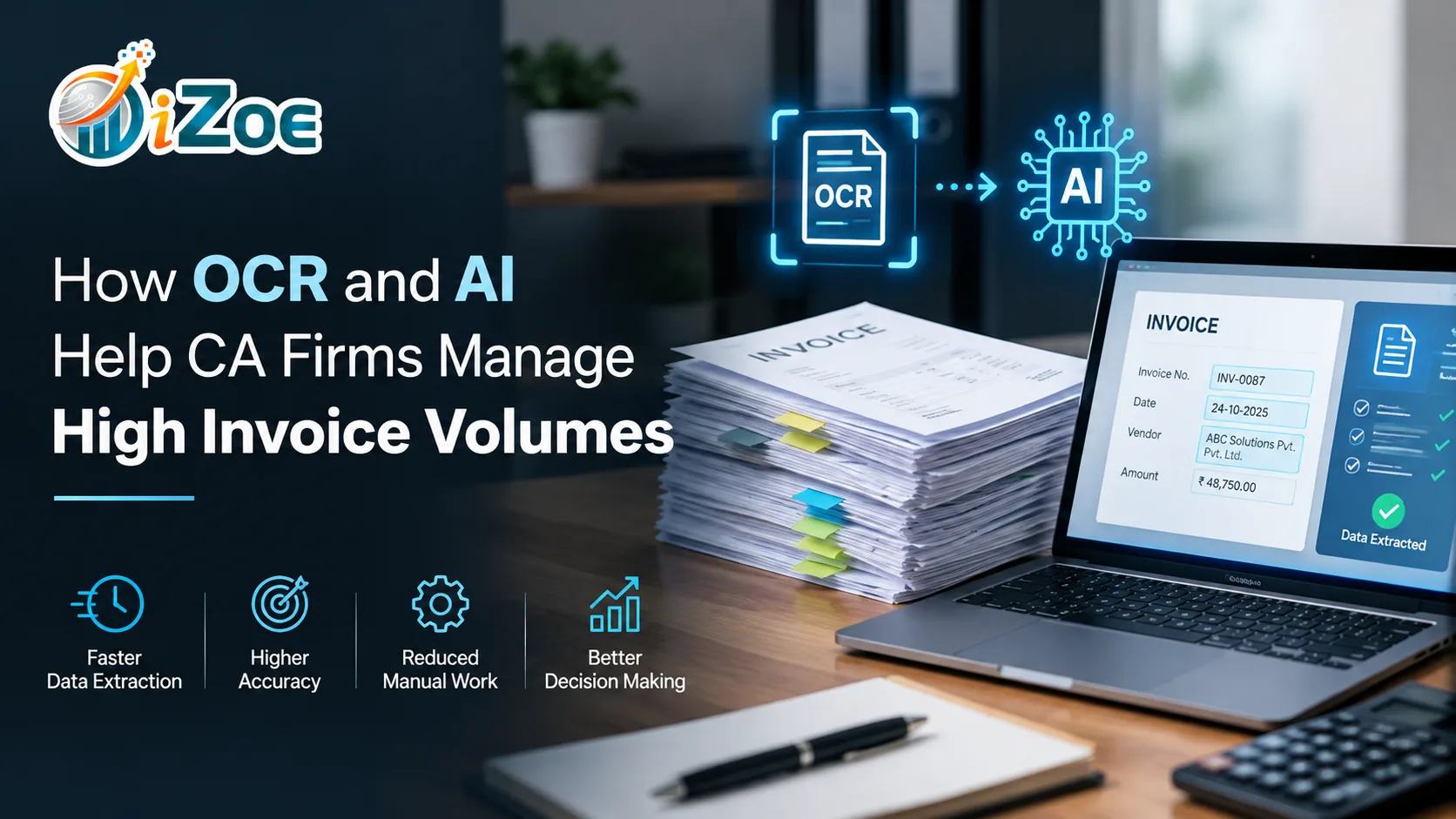
In accounting, OCR can extract relevant information from invoices, receipts, bills, and other financial documents. Instead of manually typing every detail, accountants can use OCR-enabled software to capture invoice data digitally.
For example, when an accountant uploads an invoice, OCR technology can identify information such as:
- Invoice number and date
- Vendor or supplier name
- Invoice amount and applicable tax details
- Customer information
- Other available invoice fields
The extracted information can then be reviewed and transferred into the relevant accounting workflow, depending on the software's capabilities and integrations.
When combined with AI, OCR-based invoice processing can become more flexible, helping systems interpret different document layouts and identify relevant information more effectively.
How AI and OCR Help CA Firms Process More Invoices
Combining OCR with AI can help accounting teams manage high document volumes without relying entirely on manual data entry.
1. Automating Invoice Data Extraction
One of the main benefits of OCR-based accounting automation is the ability to extract invoice information digitally.
Instead of opening each invoice and typing its details into a spreadsheet or accounting system, accountants can upload documents to an AI-powered solution that identifies key fields.
Akounter AI helps simplify this process by extracting important invoice information, including invoice numbers, dates, amounts, and vendor details. This reduces repetitive data entry and helps teams process invoice documents more efficiently.
2. Reducing Repetitive Accounting Tasks
Invoice processing involves several recurring activities, from opening documents to capturing financial information. Automating data extraction reduces the manual effort involved in these tasks.
For CA firms managing invoices for multiple clients, reducing repetitive work can free up time for document verification, account reconciliation, and other essential accounting activities.
3. Supporting Better Data Accuracy
Manual entry creates opportunities for typing mistakes and inconsistent data recording. OCR and AI can reduce the need to enter information manually, helping minimise certain types of errors.
However, extracted information should still be reviewed, especially when invoices contain unclear text, unusual formats, handwritten details, or incorrect source data.
A review process helps accountants identify discrepancies before the information is used for further accounting activities.
4. Managing Large Volumes of Client Documents
CA firms may receive invoices from several clients in different formats, including PDFs, scanned documents, and digital invoice files.
OCR-based tools can help convert supported documents into usable data, making it easier to manage invoice information at scale. Actual processing capacity depends on the software, document quality, and the firm's workflow.
With a more structured invoice-processing process, accounting teams can spend less time handling documents individually and more time managing their overall workload.
5. Improving Turnaround Time
During month-end closing, tax filing periods, and financial reporting cycles, accounting teams often face multiple deadlines simultaneously.
Automating invoice data extraction can reduce the time required to capture information from documents. This can help firms move more quickly from document collection to data verification and subsequent accounting tasks.
The time saved will vary depending on invoice volume, document quality, and the amount of manual review required.
6. Helping Accounting Teams Scale Operations
Hiring additional staff is not always the only way to manage a growing workload. Improving existing processes can also help CA firms handle more work with their available resources.
By reducing repetitive invoice entry, OCR and AI tools can help accounting teams improve productivity and manage increasing client volumes more effectively.
Automation does not replace professional accounting judgment. Instead, it allows accountants to focus more on reviewing financial information, identifying discrepancies, and supporting clients.
Akounter AI: Simplifying Invoice Processing for CA Firms
Akounter AI, brought to you by iZoe, helps businesses and accounting professionals simplify invoice data extraction through AI-powered automation.
For CA firms dealing with high invoice volumes, manually entering information from every document can become a major operational burden. Akounter AI helps reduce this burden by extracting key invoice details and making the information easier to work with.
How Akounter AI Can Help
- Invoice data extraction: Capture key details such as invoice numbers, dates, amounts, and vendor information from supported invoices.
- Reduced manual entry: Minimise repetitive typing and document-by-document data capture.
- More efficient workflows: Help accounting teams spend less time on routine invoice processing.
- Support for growing workloads: Make invoice data extraction more manageable as client document volumes increase.
For example, a CA firm handling invoices for several clients may spend hours capturing invoice information manually. Using an OCR-enabled solution can reduce the effort involved in this initial step, allowing the team to focus more on verification and other accounting responsibilities.
The exact time savings depend on the number and type of invoices processed, the quality of uploaded documents, and the review process followed by the firm.
Looking to simplify invoice processing at your firm? Explore Akounter AI by iZoe and discover how AI-powered invoice data extraction can support your accounting workflow.
The Future of Invoice Processing for CA Firms
As accounting workloads grow, technology is becoming an important part of improving operational efficiency. OCR and AI offer CA firms an opportunity to reduce repetitive data entry, manage invoice documents more effectively, and make better use of their accounting team's time.
The objective is not simply to process more invoices. It is to build a workflow that supports accuracy, consistency, timely reporting, and sustainable business growth.
Solutions such as Akounter AI can help firms take a practical step toward invoice automation by simplifying the extraction of information from financial documents.
For CA firms looking to manage growing client volumes without allowing manual invoice entry to dominate their working day, AI-powered invoice processing is worth considering.
Conclusion
Managing high invoice volumes does not have to mean increasing manual effort at every stage. OCR and AI can help CA firms simplify invoice data extraction, reduce repetitive work, and improve the efficiency of their accounting workflows.
With Akounter AI by iZoe, firms can explore a more streamlined approach to invoice processing and focus their resources on work that requires accounting expertise.
Frequently Asked Questions (FAQs)
1. What is OCR in accounting?
OCR, or Optical Character Recognition, is a technology that converts text from scanned documents, images, and supported files into machine-readable information. In accounting, it helps extract invoice details and reduce manual data entry.
2. How does AI help CA firms process invoices faster?
AI-powered invoice processing can identify relevant information in invoices and reduce the need to enter details manually. This helps accounting teams spend less time on repetitive tasks and more time on verification, reconciliation, and client-related work.
3. Can OCR extract data from different invoice formats?
OCR tools can process many supported invoice formats, including scanned documents, images, and PDFs. The quality of extraction depends on document clarity, layout, language, and the capabilities of the software.
4. Does OCR eliminate errors in invoice processing?
No. OCR can reduce certain manual data-entry errors, but it may misread unclear text or incorrectly capture information. Accountants should review extracted details before using them for accounting or compliance purposes.
5. How can Akounter AI help CA firms?
Akounter AI by iZoe helps simplify invoice processing by extracting key information, including invoice numbers, dates, amounts, and vendor details. This reduces repetitive manual data entry and supports a more efficient accounting workflow.