
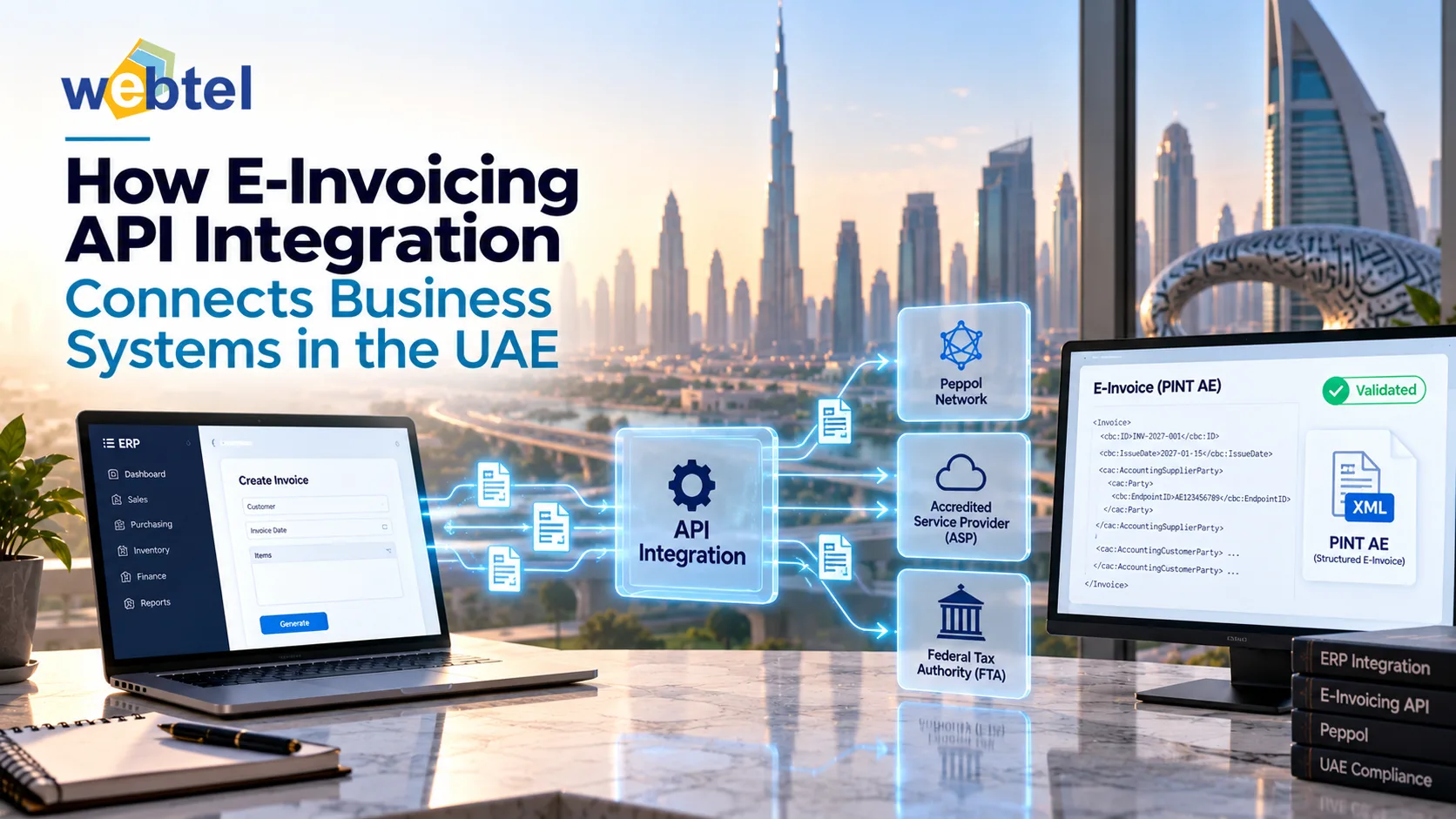
Businesses often use separate systems for accounting, sales, inventory, and customer records. When these applications do not communicate effectively, finance teams may need to enter invoice details manually, correct errors, and reconcile information across platforms. As electronic invoicing develops in the UAE, connecting existing business software to an e-invoicing platform is becoming an important part of digital readiness.
E-Invoicing API Integration allows business applications to exchange invoice data through defined software interfaces. By connecting ERP or accounting systems with an e-invoicing platform, businesses can reduce repetitive data entry, improve information flow, and manage invoice processing more efficiently.
What Is E-Invoicing API Integration?
An application programming interface (API) allows two software applications to communicate according to defined rules. In an e-invoicing workflow, an API can transfer invoice information from an ERP or accounting system to an e-invoicing platform and return processing updates.
A typical integration process includes:
- Invoice creation: The business system generates an invoice.
- Data mapping: Invoice fields are matched to the format required by the connected platform.
- Validation: Required fields and applicable rules are checked.
- Data transmission: Invoice information is sent through the API.
- Status updates: The system receives available processing responses or error messages.
- Reconciliation: Teams review exceptions and confirm that records remain consistent.
The exact workflow depends on the software, API specifications, and applicable e-invoicing requirements.
Why UAE Businesses Need API Integration
API integration is not simply a technical connection. It helps businesses coordinate invoice information across their existing systems and establish a more consistent process.
The UAE Ministry of Finance distinguishes structured electronic invoices from ordinary documents such as PDFs, scanned files, and email attachments. Businesses therefore need to assess whether their systems can support the required structured data and electronic exchange processes.
A well-planned integration can provide several practical benefits.
- Less manual data entry: Automated data transfer reduces the need to copy invoice details between applications, helping limit avoidable typing errors.
- More consistent records: Integration can keep invoice information aligned across ERP, accounting, and e-invoicing systems. Reconciliation is still necessary to identify discrepancies.
- Better invoice visibility: Where supported, API responses can help teams track processing statuses and identify invoices that need attention.
- Continued use of existing software: Depending on technical compatibility, businesses may connect their current systems to an e-invoicing platform instead of replacing their entire software environment.
Before implementation, businesses should review their current ERP integration options in the UAE to determine how invoicing can fit into their existing technology setup.
Essential Features of a Reliable E-Invoicing API
Choosing an API integration approach requires attention to data quality, security, error handling, and ongoing support.
1. Accurate data mapping
ERP systems may store customer details, tax information, invoice numbers, dates, item descriptions, and totals differently from an e-invoicing platform. Data mapping defines how these fields correspond.
Businesses should identify required fields, formatting rules, and any necessary transformations before development begins. Incorrect or incomplete data mapping can lead to rejected invoices and reconciliation problems.
2. Validation and error handling
The integration should check invoice data before transmission wherever possible. It should also capture errors returned by the receiving platform and make them available to the relevant team.
A practical error-handling process should:
- Identify the invoice and the problem field.
- Record useful error messages.
- Prevent duplicate submissions during retries.
- Allow authorised users to correct and resubmit invoices.
- Maintain a record of processing attempts.
Passing an internal validation check does not necessarily mean an invoice has completed every subsequent processing or compliance step.
3. Security and access control
APIs may require authentication to ensure that only authorised applications can exchange information. Businesses should protect credentials, use secure communication methods, and restrict access to the systems and people who need it.
Sensitive invoice data and API credentials should not be exposed through unsecured files or informal sharing methods.
4. Status tracking and audit records
A reliable integration should define how processing responses are stored and displayed. Finance teams need to know which invoices require attention and how to investigate unsuccessful transactions.
Logs can also help technical teams identify connection failures, delayed responses, and recurring errors. Businesses should establish suitable access controls and retention practices for these records.
Steps to Integrate an E-Invoicing API
A structured implementation process helps reduce disruption and makes it easier to detect issues before the integration handles routine transactions.
Step 1: Review the existing workflow. Document how invoices are created, approved, transmitted, corrected, and reconciled. Identify all systems involved and note where employees currently transfer data manually.
Step 2: Check technical compatibility. Review whether the ERP or accounting application supports APIs, webhooks, middleware, or another suitable integration method. Confirm authentication requirements, supported data formats, and available testing facilities.
Step 3: Map invoice fields. Document where each required value originates, how it should be formatted, and where it will be sent. Resolve inconsistencies in customer records, tax information, and product data before development.
Step 4: Configure and test the connection. Test normal invoices alongside missing information, incorrect values, duplicate submissions, authentication failures, and temporary service interruptions. Use a test environment where available.
Step 5: Roll out gradually. Start with a controlled group of transactions or a selected business unit when practical. Compare source records with the results returned by the e-invoicing platform and resolve discrepancies before expanding usage.
Step 6: Monitor performance. Track failed transmissions, response times, recurring errors, and reconciliation differences. API updates and changes to business workflows may require further testing.
Common Integration Challenges
Even when software supports API connectivity, implementation problems can arise if everyday operating conditions are overlooked.
- Inconsistent data: Different customer details or product codes can cause mismatches. Clean and standardise master records before rollout.
- Legacy system limitations: Older software may lack suitable interfaces or required data fields. Assess whether middleware, a connector, or an upgrade is necessary.
- Duplicate submissions: Automatic retries can create duplicate transactions if identifiers and retry behaviour are not handled correctly.
- Unclear responsibilities: Technical failures and incorrect invoice data may require different teams. Define responsibilities between finance, IT, and solution providers.
- Insufficient testing: Testing only successful invoices leaves gaps. Include rejection, recovery, and connection-failure scenarios.
- Changing requirements: Review relevant official guidance and technical specifications regularly to identify changes that could affect the integration.
Choosing the Right Integration Approach
The best approach depends on transaction volume, existing software, internal technical resources, and workflow complexity.
- Direct API integration: May suit businesses whose applications can connect directly to the e-invoicing platform.
- Middleware-based integration: Can help when multiple applications need to exchange information or when additional data transformation is required.
- Custom integration: May be appropriate for specialised workflows or legacy systems that cannot be handled adequately through standard connectors.
When evaluating options, consider security controls, documentation, error recovery, monitoring, support arrangements, and the ability to accommodate future changes.
Businesses should also assess how their integration fits into their broader UAE e-invoicing solution requirements. The goal is not merely to establish an API connection, but to support accurate structured invoice data and a dependable processing workflow.
Building a More Reliable Invoicing Process
E-invoicing API integration can help UAE businesses connect existing applications, reduce repetitive work, and improve invoice visibility. Its effectiveness depends on accurate data mapping, secure communication, reliable validation, appropriate error handling, and ongoing monitoring.
By reviewing their current systems, testing realistic transaction scenarios, and defining clear responsibilities, businesses can build an integration that supports daily operations while preparing for applicable electronic invoicing requirements.