Your website is often the first real conversation you have with a potential customer. It happens before a phone call, before a sales email, before anyone shakes your hand. In 2027, that conversation is more crowded and more competitive than ever, and the platform you choose to build it on quietly shapes how that conversation goes.
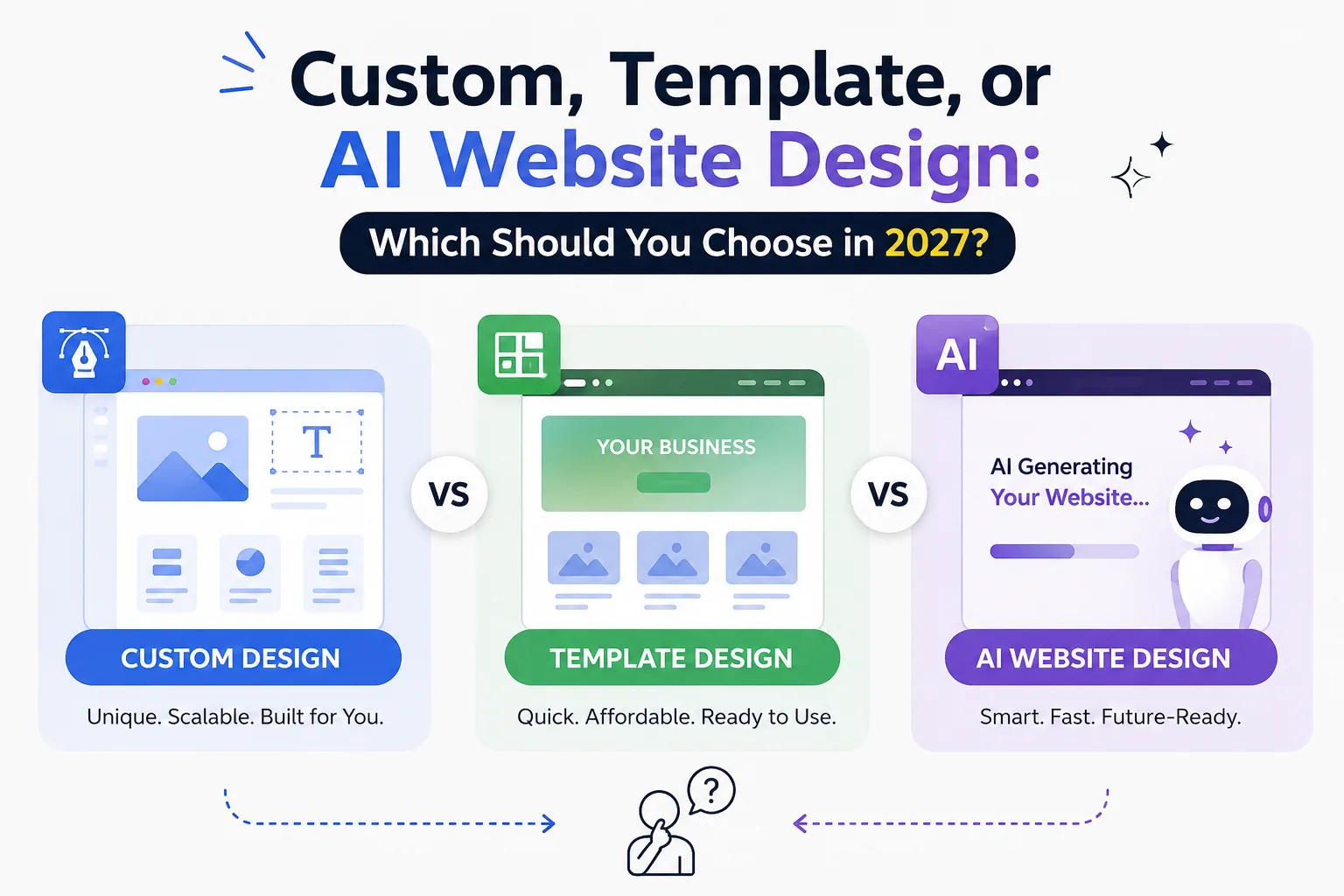
Over the last few years, the website design landscape has split into three very different paths. Custom website design remains the gold standard for brands that want full control. Template website design continues to power millions of small businesses that need something fast and affordable. And AI website design has moved from novelty to a genuinely serious option, capable of generating layouts, copy, and even UX recommendations in minutes.
Choosing the wrong path isn't just a cosmetic mistake. It can cost you search visibility, customer trust, and — ultimately — revenue. A slow, generic, or poorly structured site pushes visitors toward competitors before they even read your headline.
This guide breaks down all three approaches in plain language, compares them honestly, and helps you match the right option to your business goals, whether you're a solo founder, a growing SaaS company, or an enterprise brand evaluating professional website development services for the first time.
Why Choosing the Right Website Design Matters in 2027
A website isn't just a digital brochure anymore. It's your sales team, your support desk, and your brand ambassador, all working at once.
First impressions form fast. Visitors judge credibility within seconds of a page loading, and design quality is one of the biggest trust signals they use.
SEO and AI search visibility now go hand in hand. Google's search results increasingly blend with AI Overviews, and platforms like ChatGPT Search, Perplexity, and Gemini pull information directly from well-structured websites. Sites with clean code, clear content hierarchy, and strong technical foundations get cited more often.
Mobile users dominate traffic. Most visitors will land on your site from a phone, so mobile-first design isn't optional — it's the baseline.
Performance affects conversions directly. Every extra second of load time reduces the odds a visitor sticks around, fills out a form, or completes a purchase.
Accessibility protects both users and your brand. An accessible site serves more visitors and reduces legal and reputational risk.
Your website is also a competitive advantage. In crowded markets, a faster, cleaner, more trustworthy website can be the deciding factor between a visitor choosing you or a competitor.
With that context in mind, let's look at what each of the three design approaches actually offers.
What Is Custom Website Design?
Custom website design means building a website from scratch, tailored entirely to your brand, goals, and technical requirements, rather than starting from a pre-built theme.
How It Works
A design team maps out your business goals, researches your audience, builds wireframes, designs a unique visual identity, and then develops the site using a chosen tech stack — often a combination of frameworks like React or Next.js, a custom or headless CMS, and hand-written code for interactions and animations.
Technologies Commonly Used
- Custom front-end frameworks (React, Vue, Next.js)
- Headless CMS platforms
- Bespoke UI component libraries
- Tailored backend architecture for complex functionality
Pros
- Complete creative and technical freedom
- Unique branding that doesn't resemble competitor sites
- Built for exact business logic and workflows
- Strong long-term scalability
- Easier to optimize precisely for SEO and performance
Cons
- Higher upfront cost
- Longer development timelines
- Requires ongoing technical maintenance
- Needs a skilled team or agency to execute well
Typical Costs
Custom projects generally range from a few thousand dollars for a lean business site to well into six figures for complex enterprise platforms, depending on functionality, integrations, and design complexity.
Best Industries
Enterprise brands, SaaS companies, healthcare systems, financial services, and any business where brand differentiation or complex functionality is critical.
Expert Tip: If your business relies on a unique customer journey — like a multi-step booking system or a proprietary dashboard — custom design usually pays for itself by avoiding the workarounds templates force on you.
What Is Template Website Design?
Template website design uses a pre-built layout — through platforms like WordPress, Shopify, Webflow, Wix, or Squarespace — that's customized with your branding, content, and images.
Common Template Platforms
- WordPress themes — flexible, widely supported, huge plugin ecosystem
- Shopify themes — built specifically for ecommerce
- Webflow templates — designer-friendly with more visual control than most builders
- Wix and Squarespace — beginner-friendly, all-in-one hosting and design
Advantages
- Lower cost than custom builds
- Much faster to launch
- No coding knowledge required for basic setup
- Large libraries of pre-tested designs
- Easier for non-technical teams to manage
Disadvantages
- Limited uniqueness — many businesses use similar themes
- Can carry bloated code that slows performance
- Customization ceiling once business needs grow
- SEO can suffer if the theme isn't well-coded
Who Should Use It
Small businesses, freelancers, local shops, restaurants, and startups that need a professional presence quickly without a large budget.
Budget Considerations
Template-based sites typically cost far less than custom builds, often ranging from a few hundred to a few thousand dollars including setup, branding, and basic customization.
What Is AI Website Design?
AI website design uses artificial intelligence to generate layouts, write copy, select images, and sometimes even optimize UX decisions automatically, based on a short brief from the business owner.
What AI Tools Typically Handle
- AI-generated page layouts based on industry and goals
- AI content generation for headlines and body copy
- AI-selected or AI-generated images
- Automated UX suggestions based on user behavior data
- Personalization that adapts content to individual visitors
- Ongoing automation for updates and A/B testing
Benefits
- Extremely fast turnaround — sites can go live in hours
- Lower cost than hiring a full design team
- Useful starting point for early-stage businesses
- Increasingly capable personalization and automation features
Risks and Limitations
- Designs can feel generic or interchangeable without human refinement
- AI-generated copy often needs editing for accuracy and brand voice
- Less control over fine details and complex custom functionality
- Still maturing for highly technical or enterprise-grade needs
Future Potential
AI website design is improving quickly. As models get better at understanding brand nuance and business context, AI-assisted design is expected to become a standard first step in the process — even for agencies offering professional website design agencies-level service, who increasingly use AI tools to speed up early drafts before applying human expertise.
Custom vs Template vs AI Website Design
FactorCustom DesignTemplate DesignAI DesignCostHighLow–MediumLowDesign FlexibilityVery HighMediumMediumBranding UniquenessExcellentLimitedLimited–MediumSEO PotentialExcellent (fully controllable)Good if well-codedGood, improvingPerformanceExcellent (if built well)Varies by themeVaries by platformSpeed to LaunchSlowFastVery FastSecurityHigh (custom-managed)MediumMediumScalabilityExcellentLimitedModerateUser ExperienceTailoredGeneric but functionalData-informedMobile ResponsivenessFully customUsually built-inUsually built-inAccessibilityFully controllableDepends on themeDepends on toolMaintenanceRequires developerEasier, DIY-friendlyEasiest, automatedCustomizationUnlimitedModerateLimitedDevelopment TimeWeeks–MonthsDays–WeeksHours–DaysBest ForEnterprises, complex brandsSMBs, local businessesStartups, MVPsLong-Term ROIHigh for established brandsModerateModerate, growingAI IntegrationCustom-built if neededAdd-on toolsNativeEcommerce CapabilityFully customStrong (Shopify)GrowingLead GenerationHighly optimizedGoodGood, automatedEnterprise ReadinessExcellentLimitedLimitedWhich Website Design Is Best for Different Businesses?
- Small business: Template design offers the best balance of cost and speed.
- Startup: AI design for a fast MVP, transitioning to custom as the company scales.
- Restaurant: Template design with strong local SEO and online ordering integration.
- Law firm: Custom design to build trust and showcase authority.
- Healthcare: Custom design for compliance, accessibility, and patient trust.
- Manufacturing: Custom design for complex product catalogs and B2B workflows.
- Real estate: Template or custom hybrid with strong listing search functionality.
- Education: Custom or template, depending on portal complexity.
- NGO: Template design to maximize impact within limited budgets.
- Personal brand: AI or template design for quick, affordable launch.
- Portfolio: Template design with strong visual customization (Webflow works well).
- Freelancer: AI or template design for speed and affordability.
- Enterprise: Custom design, almost without exception.
- SaaS: Custom design for conversion-optimized product storytelling.
- Agency: Custom design to demonstrate design capability directly.
- Corporate: Custom design for brand consistency across markets.
- Local business: Template design paired with strong local SEO.
- Ecommerce: Shopify template for most businesses; custom for complex catalogs.
- B2B: Custom design for longer sales cycles and detailed content needs.
- B2C: Template or AI design for speed, especially at launch.
Latest Website Design Trends for 2027
- AI-assisted design workflows are now standard across most agencies, speeding up early concepting.
- Hyper-personalization adapts content and offers based on visitor behavior in real time.
- Voice search optimization is growing as more users rely on voice assistants.
- AI chat assistants are replacing static FAQ pages on many sites.
- Accessibility-first design is becoming a baseline expectation, not an afterthought.
- Motion UI adds subtle interactivity without sacrificing performance.
- Dark mode remains a popular user preference across industries.
- Minimalism continues to dominate, prioritizing clarity over decoration.
- Interactive storytelling helps brands stand out in scroll-heavy layouts.
- Sustainable web design focuses on reducing page weight and energy use.
- Headless CMS architecture gives teams more flexibility across channels.
- Progressive Web Apps (PWAs) blend app-like experiences with web accessibility.
- Core Web Vitals optimization remains essential for both SEO and user experience.
- Privacy-first experiences respond to growing user concern over data collection.
Mistakes Businesses Make When Choosing a Website Design
- Choosing only based on price, without considering long-term scalability.
- Ignoring SEO during the design phase instead of building it in from the start.
- Ignoring scalability, leading to a costly rebuild within a year or two.
- Ignoring maintenance, which causes security and performance issues over time.
- Not planning for future growth, especially for fast-scaling startups.
- Overusing AI without human review, resulting in generic or inaccurate content.
- Poor UX decisions that prioritize aesthetics over usability.
- Slow websites that quietly drive visitors away before they convert.
- Ignoring accessibility, which excludes real users and increases legal risk.
- Ignoring analytics, missing the data needed to improve the site over time.
Expert Tip: Before comparing designers, write down your business goals for the next two to three years. That single step prevents most of the mistakes on this list.
Expert Tips Before Choosing a Website Design Company
When evaluating top website design agencies, look beyond the portfolio and consider the full working relationship.
- Portfolio: Look for range and relevance to your industry, not just visual polish.
- Experience: Ask how long the team has worked on projects similar to yours.
- Communication: Clear, responsive communication predicts a smoother project.
- Process: A defined process (discovery, design, development, testing) signals maturity.
- SEO knowledge: Confirm the agency builds SEO into the design, not as an afterthought.
- UI/UX expertise: Ask how they approach usability testing and user research.
- Maintenance: Clarify what happens after launch and who owns updates.
- Pricing transparency: Get a detailed breakdown, not just a single number.
- Support: Understand response times and support scope after handoff.
- Technology stack: Make sure the stack fits your team's long-term needs.
- Case studies: Ask for measurable results, not just screenshots.
- Client reviews: Independent reviews often reveal more than testimonials.
- Timeline: Realistic timelines matter more than the fastest promise.
- Ownership: Confirm you retain full ownership of code, content, and assets.
Security: Ask how they handle updates, backups, and vulnerability monitoring.
Many businesses now compare several website design and development companies side by side before committing, and it's worth requesting a short discovery call with each to gauge fit before signing anything.
Frequently Asked Questions
Is AI website design good enough for a real business? Yes, for many early-stage businesses. It's fast and affordable, though most brands benefit from human refinement of copy and layout before launch.
Is custom design worth the investment? For established or scaling businesses with specific functionality needs, yes. The upfront cost typically pays off through better performance, branding, and scalability.
Which website design ranks better on Google? None of the three approaches guarantees rankings by default. What matters most is clean code, fast load times, quality content, and proper technical SEO — all achievable on any platform if built correctly.
Are templates bad for SEO? Not inherently. Poorly coded templates can hurt SEO, but well-built, reputable themes perform well when optimized properly.
Can AI replace web designers? Not entirely. AI speeds up early-stage design and content generation, but human designers still add strategic thinking, brand nuance, and quality control.
Which website is easier to maintain? Template and AI-built sites are generally easier for non-technical teams to maintain day-to-day.
Which option is best for ecommerce? Shopify templates work well for most ecommerce businesses; custom development suits complex, high-volume, or highly specialized stores.
Is Webflow better than WordPress? Neither is universally better. Webflow offers strong visual design control; WordPress offers a larger plugin ecosystem and broader developer familiarity.
Can I switch from a template to custom later? Yes. Many businesses start with a template and migrate to custom design once traffic, complexity, or brand needs grow.
What is the average cost of website design in 2027? Costs vary widely: template sites often range from a few hundred to a few thousand dollars, AI-built sites can be even lower, and custom projects can range from a few thousand to six figures depending on scope.
How long does it take to build each type of website? AI sites can launch within hours to days, templates within days to a few weeks, and custom builds typically take several weeks to a few months.
Do I need a developer for a template website? Not always. Most template platforms are designed for non-technical users, though a developer can help with deeper customization.
Is AI-generated content safe to publish as-is? It's best used as a first draft. Human review ensures accuracy, brand voice, and originality before publishing.
What's the biggest risk of choosing the cheapest option? Cutting corners on SEO, performance, or scalability often leads to a costly rebuild sooner than expected.
How do I know which option fits my business? Match the option to your budget, timeline, complexity of functionality, and long-term growth plans, using the comparison table above as a starting point.
Conclusion
There's no single "best" website design approach in 2027 — only the best fit for your specific business.
Custom website design remains unmatched for brands that need full control, complex functionality, and long-term scalability. Template website design continues to be the practical choice for small businesses and local brands that need something professional, fast, and affordable. AI website design has earned its place as a genuinely useful option for startups, freelancers, and anyone who needs to launch quickly without a large budget.
The right choice comes down to your goals, your timeline, and how much your website needs to grow with you. Whether you're comparing professional website design agencies, evaluating top website design agencies in your market, or exploring newer website design and development companies that blend AI tools with human expertise, take the time to map your business goals first — the platform decision should follow from that, not the other way around.
Before you commit to any option, write down what your business truly needs in the next two to three years. That one exercise will point you toward the right choice faster than any comparison chart ever could.