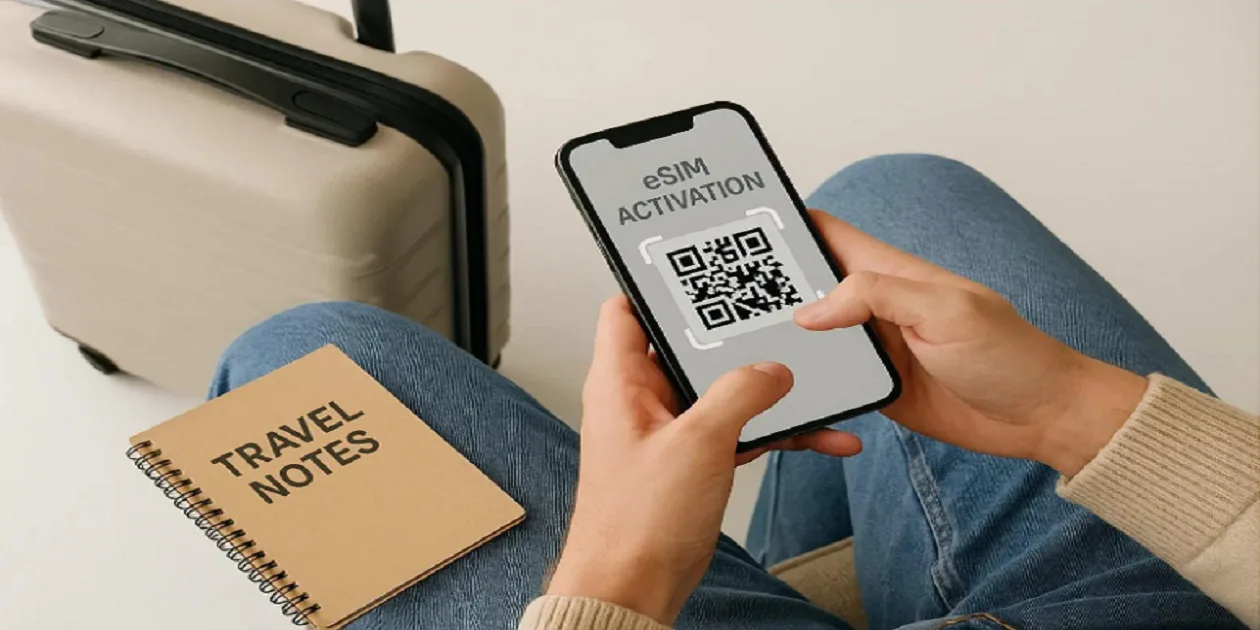
Planning a trip to Italy? Whether you're exploring Rome's historic streets, enjoying the canals of Venice, visiting Florence's famous landmarks, or relaxing along the Amalfi Coast, having reliable mobile internet can make your journey much easier. You can use your phone to check directions, book train tickets, translate Italian menus, find restaurants, and share travel photos with friends and family.
However, using international roaming can be expensive, and buying a physical SIM card after landing may take extra time. A travel eSIM offers a convenient alternative because you can purchase a mobile data plan online and install it directly on your compatible smartphone.
In this guide, you'll learn how to install an Italy eSIM on iPhone and Android, how to activate it, how to fix common installation problems, and how to choose the best eSIM for Italy based on your travel needs.
What Is an Italy Travel eSIM?
An eSIM is a digital SIM built into your smartphone. Unlike a traditional SIM card, it doesn't require a physical card to connect to a mobile network. Instead, you download a mobile plan to your phone and activate it according to the provider's instructions.
An Italy travel eSIM allows you to access mobile data through a supported network while visiting Italy. You can use it for Google Maps, WhatsApp, email, online reservations, translation apps, and other internet-based services.
One of the main advantages is convenience. You can purchase your eSIM before leaving home and install it using Wi-Fi. Once your plan is active and connected to a supported network, you can use mobile internet without searching for a local SIM card shop.
Most travel eSIMs provide data only. This means traditional phone calls and SMS may not be included, although internet-based calling and messaging apps generally work.
Before purchasing an eSIM, check that your smartphone supports eSIM technology and is carrier-unlocked.
What to Check Before Installing an Italy eSIM
Before starting the installation process, take a few minutes to prepare your phone. These checks can help prevent common problems during setup.
Check phone compatibility. Many newer smartphones support eSIM technology, but support depends on the exact model and country or region where the device was purchased. Check your manufacturer's specifications or the eSIM provider's compatibility list.
Make sure your phone is unlocked. A carrier-locked phone may not accept an eSIM from another provider. On an iPhone, open Settings, select General, and tap About. Look for Carrier Lock; an unlocked device should display “No SIM Restrictions.”
Connect to Wi-Fi. Installing an eSIM usually requires an internet connection. Connect to reliable Wi-Fi before scanning your QR code or downloading your mobile plan.
Keep your installation details ready. Your provider may send a QR code, an installation link, an app-based setup option, or manual activation details. Follow the method specified in your purchase instructions.
Check the activation policy. Some eSIM plans begin their validity period when installed, while others start when they first connect to a supported network. Knowing the difference can help you avoid using up your travel days too early.
How to Install an Italy eSIM on iPhone
Installing a travel eSIM on a compatible iPhone is usually straightforward. The exact wording of the settings may vary slightly depending on your iOS version.
Step 1: Purchase Your Italy eSIM
Choose an Italy eSIM plan that suits your travel duration and data requirements. Compare the price, data allowance, validity period, and network coverage before purchasing.
If you plan to visit multiple European countries, check whether the plan includes all your destinations.
After completing your purchase, the provider will give you installation instructions. Keep the QR code or activation details accessible.
Step 2: Open Your iPhone Settings
Connect your iPhone to Wi-Fi and open the Settings app.
Depending on your iOS version, tap Cellular or Mobile Data, then select Add eSIM or Add Cellular Plan.
Your iPhone should display the available installation options supported by your device and provider.
Step 3: Scan the eSIM QR Code
If your provider gives you a QR code, select the option to use a QR code and scan it using your iPhone.
If the QR code appears in an email or on the same phone, you may need to display it on another device or use a supported installation link or manual method.
Follow the instructions on your screen and tap Continue or Add eSIM when prompted.
If your provider supplies manual activation details, choose the manual entry option and enter the information exactly as provided.
Step 4: Complete the Installation
Wait while your iPhone downloads and installs the eSIM profile.
Once the installation is complete, you may be asked to label the new line. Choose a name such as “Italy Travel” so you can easily identify it alongside your regular SIM.
If you are still at home, the eSIM may not connect to an Italian network yet. This can be normal for a destination-specific travel plan.
Step 5: Configure Your Mobile Data Settings
After installation, open Settings and select Cellular or Mobile Data.
Choose your Italy travel eSIM as the mobile data line when you want to use it for internet access. If you need to keep your home number active, you may be able to leave your primary SIM enabled for calls and messages.
Check whether your provider requires Data Roaming to be enabled on the travel eSIM. If it does, turn it on for that line specifically.
To avoid unexpected charges, review your home carrier's roaming conditions and check that mobile data is not accidentally using your primary SIM.
How to Install an Italy eSIM on Android
The installation process on Android is similar, although the menu names can differ between Samsung Galaxy, Google Pixel, and other Android devices.
Step 1: Check Your Android Phone
Confirm that your phone supports eSIM and is not carrier-locked.
On many Android devices, you can look for an EID in the device information or status settings. However, menu locations differ, so check your phone manufacturer's instructions if you're unsure.
Make sure you have a reliable Wi-Fi connection before continuing.
Step 2: Open SIM Manager or Network Settings
On many Samsung Galaxy phones, open Settings, tap Connections, and select SIM Manager.
On Google Pixel and many other Android phones, open Settings, select Network & Internet, and look for SIMs or the option to add a SIM.
The exact wording depends on your Android version and manufacturer.
Step 3: Add Your Italy eSIM
Select Add eSIM or a similar option to add a mobile plan.
If your provider supplies a QR code, choose the option to scan or download a SIM using a QR code. Point your camera at the code and follow the on-screen instructions.
Some providers also support installation through an app or activation link. Use these methods if they are specified in your purchase instructions.
If the phone asks for confirmation before downloading the eSIM, review the details and continue.
Step 4: Wait for Installation to Finish
Allow your phone to download and install the eSIM profile. This may take a few moments depending on your internet connection and device.
After installation, you should see the new eSIM listed in your SIM settings.
Give it a clear name, such as “Italy Travel,” so you can distinguish it from your regular mobile line.
Step 5: Enable the eSIM and Select Mobile Data
Open your SIM settings and make sure the Italy eSIM is enabled.
Choose it as your preferred mobile data SIM. If your provider requires data roaming, enable that setting for the travel eSIM.
Keep your regular SIM enabled only if you need it, and check its roaming settings to avoid unexpected charges.
Once you arrive in Italy, allow the phone to connect to a supported network. If the plan is active and the settings are correct, mobile data should begin working.
When Should You Install Your Italy eSIM?
For most travelers, installing an eSIM before departure is convenient because you can use Wi-Fi to complete the setup without rushing at the airport.
However, the best installation time depends on the provider's activation policy.
If your plan starts when it first connects to an Italian network, you may be able to install it a day or two before departure without starting the validity period. If validity begins at installation, you may prefer to wait until closer to your trip.
Read the activation instructions carefully before installing.
Also, avoid deleting the eSIM profile if it doesn't connect immediately. Some QR codes can only be used once, and reinstalling a deleted profile may require assistance from the provider.
How to Choose the Best eSIM for Italy
Finding the best eSIM for Italy involves more than selecting the lowest price. You should consider your data usage, travel duration, network coverage, and the features included in your package.
Compare data allowances. A small package may be sufficient for occasional browsing and messaging, while frequent navigation, social media, and video calls may require more data.
Check plan validity. Choose a package that covers your entire trip. A cheap plan that expires too soon may not offer good value.
Review network coverage. Check which Italian network your provider uses and whether the plan supports 4G or 5G. Coverage can vary between major cities, rural areas, islands, and mountain destinations.
Check hotspot support. If you plan to connect your laptop or tablet, confirm that tethering is allowed.
Compare activation conditions. Understand when the plan starts, whether top-ups are available, and what happens when your data allowance runs out.
Before purchasing, compare available Italy eSIM plans to find an option that suits your budget, data requirements, and travel duration.
Common Italy eSIM Installation Problems and Fixes
Even when installation is straightforward, you may occasionally encounter a problem. Here are some common issues and ways to troubleshoot them.
The QR Code Will Not Scan
Make sure the QR code is clear and displayed on another screen if necessary. Check your internet connection and follow the provider's alternative installation instructions if scanning continues to fail.
If the code has already been used, don't repeatedly attempt installation. Contact the provider to confirm whether the eSIM profile was successfully downloaded.
The eSIM Shows No Service
If you're still outside Italy, a destination-specific eSIM may not connect to a local network yet.
After arriving, make sure the eSIM is enabled, select it for mobile data, and check whether data roaming is required. If the problem continues, restart your phone and follow the provider's network selection instructions.
Mobile Data Is Not Working
Check that the Italy eSIM is selected as your mobile data line and that mobile data is enabled.
If your provider requires data roaming, enable it for the travel eSIM. Confirm that the plan has started, has not expired, and still has data available.
The Phone Says the eSIM Is Not Supported
This may indicate that your phone does not support eSIM, is carrier-locked, or has a regional compatibility limitation.
Check your exact device model and contact your carrier or eSIM provider if you cannot confirm compatibility.
The Internet Is Slow
Connection speeds depend on network coverage, congestion, device compatibility, and the terms of your plan.
Try moving to an area with better signal strength, restarting your phone, or selecting a supported network according to your provider's instructions. If the problem persists, contact customer support.
Frequently Asked Questions
Can I install an Italy eSIM before arriving in Italy?
Yes. You can usually install it before departure if your provider supports advance installation. Check when the plan's validity period begins before proceeding.
Can I use my regular SIM and an Italy eSIM together?
Many compatible smartphones support dual SIM functionality. You may be able to keep your regular SIM active for calls and messages while using the travel eSIM for mobile data. Check your device's capabilities and your home carrier's roaming charges.
Do I need Wi-Fi to install an eSIM?
Usually, yes. An internet connection is generally required to download the eSIM profile. Using reliable Wi-Fi before departure is a convenient option.
Can I reinstall my eSIM if I delete it?
Not always. Some eSIM profiles and QR codes cannot be reused after installation. Contact your provider before deleting a profile or attempting to install it again.
Final Thoughts
Installing an Italy eSIM on iPhone or Android is generally simple when your device is compatible and you follow the provider's instructions. Preparing your phone before departure can help you avoid installation delays and make it easier to get connected when you arrive.
Before choosing the best eSIM for Italy, compare data allowances, prices, network coverage, validity periods, and activation rules. Once your eSIM is installed, check your mobile data settings and confirm that your plan is active before relying on it during your trip.
With a little preparation, you can spend less time dealing with mobile connectivity and more time enjoying everything Italy has to offer.