
Table of Contents
- What Is a Trade Copier and Why Does It Matter?
- How Cloud Based Trade Copiers Work
- How Local Trade Copiers Work
- Trade Synchronization: Where the Real Differences Show Up
- Which Setup Is Right for You?
- Comparison Table: Cloud vs Local Trade Copier
- Key Takeaways
- FAQ
Most traders don't think seriously about infrastructure until a missed trade costs them. If you're researching a cloud based trade copier, you've probably already seen what a lagged copy signal can do to an otherwise clean entry. That gap between signal and execution is real, and it compounds fast across multiple accounts. So before you commit to a setup, it's worth understanding exactly what you're choosing between.
What Is a Trade Copier and Why Does It Matter?
A trade copier is software that replicates trades from one account (the master or signal provider) to one or more receiving accounts (the followers), automatically and in real time. The moment a trade opens on the master, the copier detects it and mirrors the position on every connected account according to pre-set rules.
Why traders use copiers goes well beyond convenience. Fund managers running multiple client accounts need consistent execution across every book. Prop firms copy signals from a central strategy to segregated accounts, and individual traders use them to mirror a trusted signal provider or separate live and demo environments.
The mechanics matter here. A copier that lags by even a few seconds can turn a profitable entry into a late fill, particularly during news events when spreads (the difference between the buy and sell price quoted by a broker) widen fast. According to a 2025 report by Finance Magnates, execution latency above 500 milliseconds materially increases slippage rates in high-volatility FX pairs. That figure alone explains why the infrastructure question, cloud versus local, deserves more than a passing thought.
How Cloud Based Trade Copiers Work
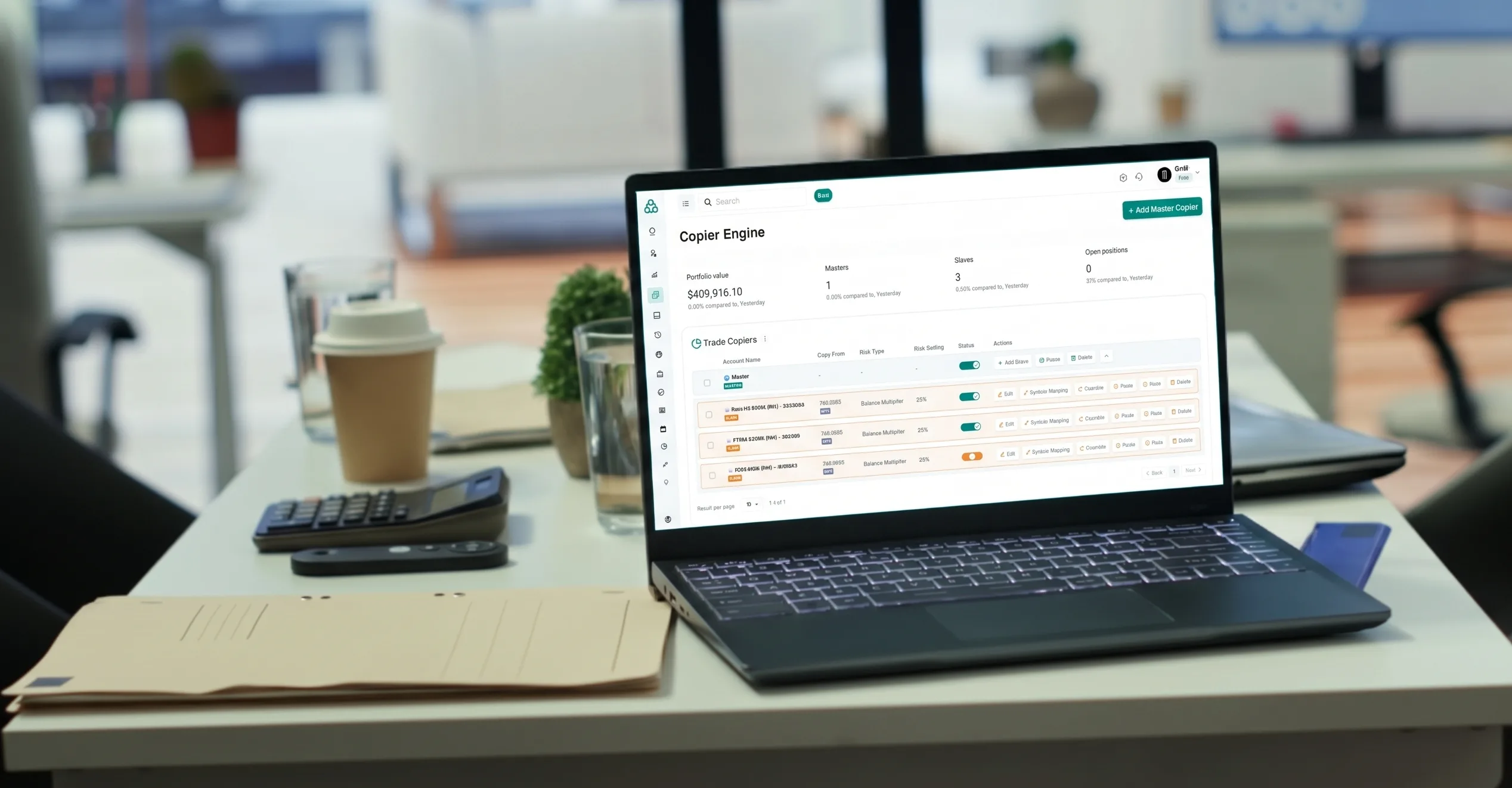
A cloud based trade copier runs on remote servers, typically hosted in financial data centres close to major broker infrastructure. You don't install anything on your personal machine. The master account connects to the cloud service via API or a lightweight bridge, and the cloud server handles all the detection, processing, and order routing.
The core advantage is uptime. Your home computer can lose power, stall during a system update, or drop its internet connection at exactly the wrong moment. A properly hosted cloud server runs 24 hours a day, five days a week without interruption. For traders copying into accounts across different time zones, that kind of reliability isn't a nice-to-have.
Speed is the other major factor. Cloud servers are often co-located near broker matching engines, which shortens the round-trip distance for a trade signal considerably. Some platforms achieve copy latency in the range of 20 to 50 milliseconds, which is genuinely competitive for most retail and semi-institutional use cases.
There is a real trade-off, though. You're dependent on the platform provider's infrastructure, pricing model, and support quality. If their servers go down, your copying goes with them. You also need to check how they handle API connections to your specific broker, because not every platform supports every trading terminal.
How Local Trade Copiers Work
A local copier runs directly on your own hardware, typically inside MetaTrader 4 or MetaTrader 5 as an Expert Advisor (EA), an automated script that executes within the platform itself. The master and follower accounts usually need to be on the same machine or connected via a local network.
The setup gives you direct control. You own the hardware, you manage the configuration, and no third-party server sits between your signal and your broker. For traders who are sensitive about data privacy or who run proprietary strategies they're unwilling to route through an external service, that distinction matters.
The practical limitations are significant. Your machine must stay on and connected at all times the market is open. Any interruption, whether a power cut, a software crash, or a dropped connection, breaks the copy chain entirely. A trade that opens on the master while your PC is offline simply won't be copied to the followers.
Latency on a local setup depends entirely on your own connection quality and hardware. If your master and follower accounts are on the same broker, latency can be pretty tight. Introduce a second broker, though, and the picture changes: your local setup now needs to route an order from one broker environment to another across your own internet connection, which adds variable and fairly unpredictable delay.
Trade Synchronization: Where the Real Differences Show Up
Trade sync, the continuous process of keeping follower accounts aligned with the master, is where the two approaches diverge most visibly. Not just about copying an opening trade. It covers modifications to stop-loss and take-profit levels (the price points at which a trade automatically closes to limit loss or lock in profit), partial closes, and position reversals.
Cloud platforms handle sync events through persistent server-side monitoring. The server watches the master account continuously, not just when your browser tab is open. Every modification triggers an immediate downstream update to all connected followers. According to the BIS 2025 Triennial Survey, global OTC FX market turnover reached $7.5 trillion per day, a scale that reflects just how quickly conditions move and why delayed sync events carry real cost.
Local copiers sync through polling intervals. The EA checks the master account at a set frequency, perhaps every 100 to 500 milliseconds, then pushes any detected changes. Under normal conditions that's adequate. During fast markets, though, a polling lag means a stop-loss modification on the master might not reach the follower until several ticks later. Not ideal when volatility spikes.
Platforms built for multi-account management at a professional level often address this with event-driven architecture rather than polling. Traders Connect, for example, uses broker-verified read-only API connections across MT4/MT5, cTrader, Match Trader, TradeLocker, DXtrade, NinjaTrader, Tradovate, and Rithmic, with trade sync typically completing in 20 to 30 milliseconds and built-in controls for lot sizing, equity protection, symbol mapping, and trading-hour filters.
Which Setup Is Right for You?
There's no universal answer here. Your choice depends on three practical factors: how many accounts you're managing, how much operational risk you can absorb, and whether you need multi-broker support.
Consider local copying if you manage just two accounts with the same broker, run a low-frequency strategy, and prefer keeping everything on your own infrastructure. The setup cost is low and the learning curve is manageable for anyone comfortable with MetaTrader EAs.
Consider a cloud based trade copier if any of the following apply:
- Multiple brokers: you need to copy across accounts at different firms
- Uptime dependency: your strategy copies trades around the clock and you can't guarantee your machine stays online
- Scaling: you plan to add more follower accounts over time
- Analytics: you need portfolio-level data like ROI, win rate, and drawdown across every account in one view
The more complex your operation, the more the cloud infrastructure earns its cost.
Comparison Table: Cloud vs Local Trade Copier
FeatureCloud Based Trade CopierLocal Trade CopierUptime reliabilityHigh (server-side, 24/5)Depends on your hardwareTypical copy latency20 to 100msVariable (connection-dependent)Multi-broker supportUsually yesLimited or manualSetup complexityLow to moderateModerate (EA configuration)Data privacyDepends on providerHigh (self-hosted)Sync methodEvent-drivenPolling-basedScalabilityHighLimitedCostSubscription-basedOften one-time or freeKey Takeaways
Choosing between a cloud and a local trade copier comes down to the scale and complexity of your operation. Cloud infrastructure wins on reliability and multi-broker flexibility. Local setups offer control and lower ongoing cost for simpler configurations.
- Cloud uptime: server-hosted platforms eliminate the single biggest risk of local copying: your machine going offline
- Sync quality: event-driven cloud sync handles trade modifications faster than polling-based local EAs during volatile markets
- Scalability: cloud platforms are built to grow with your account count; local EAs are not
- Cost trade-off: local copiers cost less upfront but carry hidden operational risks worth pricing in
Consider your actual operational needs before committing to either approach. The gap in performance between the two only becomes costly when your strategy demands consistency at scale.
FAQ
What is the main advantage of a cloud based trade copier over a local one?
The primary advantage is uptime. A cloud server runs continuously without depending on your personal hardware or internet connection. For traders copying trades around the clock across multiple accounts, this eliminates the most common point of failure in local setups.
How fast is trade synchronization with a cloud copier?
Most reputable cloud platforms achieve copy latency between 20 and 100 milliseconds, depending on server location and broker proximity. Local copiers can match this within the same broker environment, but typically lag when copying across different brokers or connections.
Can a local trade copier support multiple brokers?
It can, but with significant limitations. Routing trades across brokers from a local machine adds latency and complexity. You become responsible for maintaining two separate terminal connections, and any interruption affects the entire copy chain simultaneously.
Is a cloud trade copier safe to use?
Safety depends on the specific provider. Look for platforms that use read-only API connections, meaning the service can monitor your account but cannot withdraw funds. Always verify the provider's data handling policies and whether they're registered with a relevant financial regulator.