
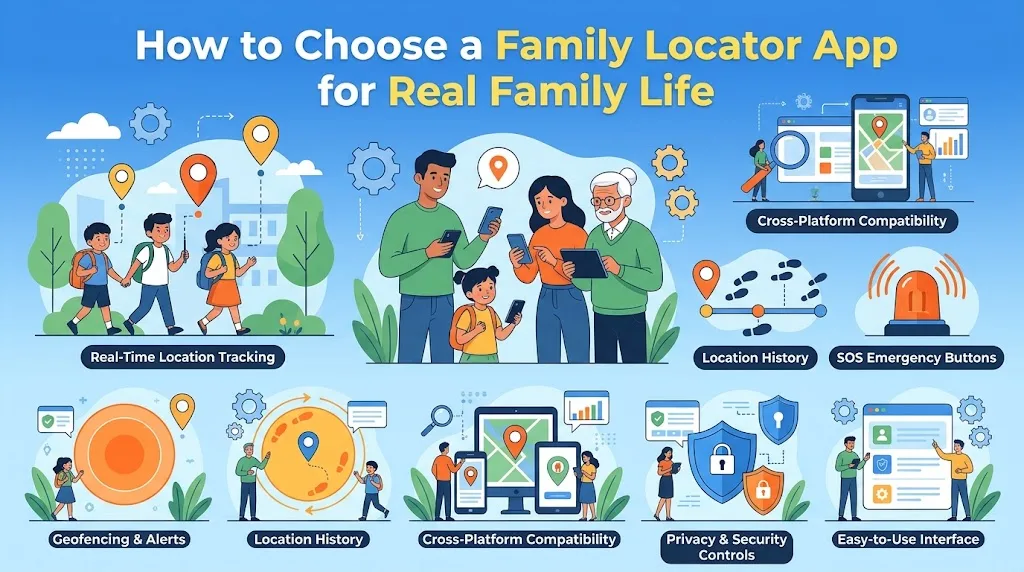
App store listings for family locator apps all look roughly the same. A smiling family. A map with colorful dots. A list of features as long as your arm: live tracking, place alerts, driving reports, crash detection, SOS buttons, location history, chat, battery alerts, and more.
What the listings do not tell you is how the app will fit into your family's actual week. Whether your teen will accept it or quietly switch it off. Whether the alerts will help or drive you mad. Whether you will still be using it in six months.
Choosing a family locator app is less about finding the "best" app and more about finding the right fit. This guide walks through the questions that matter most, so you can choose with your real family in mind, not the one in the advert.
Start with what you actually need
Before comparing a single app, write down the situations where you want help. Be specific. For example:
- "I want to know my 11-year-old got to school, without texting her every morning."
- "I want to find my son's phone when he leaves it somewhere, which is often."
- "I want to see my teen is on the way home after evening shifts."
- "I want my elderly father to share his location when he drives to see us."
Each of these needs a different level of tool. Finding a lost phone needs a device finder. Knowing a child arrived at school needs one place alert. Seeing a teen on the way home might only need time-limited sharing.
It also helps to know what most families want. In a February 2026 C.S. Mott Children's Hospital poll of parents of 18 to 25 year olds, those who tracked their young adult's location said they did it mainly for peace of mind (68%) and emergencies (64%). If those are your reasons too, you probably do not need every feature on the list.
Check what you already have
Many Android families already have free tools built in or close to hand:
- Google location sharing lets people share their real-time location with chosen contacts, through apps such as Google Maps
- Google Family Link lets parents of younger children manage a child's Google account and see the device's location
- Find Hub, Google's device finder, helps locate lost Android phones and other devices
- WhatsApp live location offers short, time-limited sharing inside a chat
For many families, these cover most needs. Before paying for anything, try what you have for a few weeks. You may find it is enough.
Think about who is in your family
A family locator app has to work for everyone involved, not just the parent setting it up. Think about:
- Ages. A tool for a nine-year-old with a first phone is different from one for a seventeen-year-old who drives.
- Devices. Is everyone on Android, or do some family members use iPhones? Not every app works equally well across both.
- Comfort with technology. A grandparent may need something very simple. A teen may want more control over their own settings.
- Living arrangements. If children move between two homes, both parents may need access.
An app that is perfect for one child may be wrong for another. That is fine. You do not need one app for everyone.
Look closely at how alerts work
Alerts are where many families either love or hate their locator app. Before committing, find out:
- Can you choose which places send alerts?
- Can you choose arrivals, departures, or both?
- Can you set quiet times?
- How large can you make the boundary around each place?
It also helps to know that alerts on Android are rarely instant. Android's developer documentation notes that geofence alerts usually arrive within two minutes but can take up to six when a phone has been stationary. Google's Family Link help pages add that location notifications need location accuracy turned on. An app that explains these limits honestly is usually more trustworthy than one that promises "real-time" everything.
Check privacy and data handling
A family locator app collects some of the most sensitive data about your family: where you live, where your children go to school, and your daily routines. It is worth spending ten minutes on the privacy side.
Look for clear answers to:
- What location data is stored, and for how long?
- Can you delete location history?
- Is location data shared with or sold to third parties, such as advertisers or data brokers?
- Where is the company based, and what privacy laws does it follow?
- Can each family member see who can view their location?
If an app's privacy policy is vague or hard to find, take that as a warning sign. Free apps in particular sometimes make money from data, so read carefully.
Make sure it is transparent
Any app you use should be visible on the child's device, with the child aware that it is installed and what it shares. Avoid anything marketed as hidden, secret, or undetectable for family use.
Transparency is not just an ethical point. It is practical. Teens who discover hidden tracking often lose trust in their parents and look for ways around it. Teens who agreed to a visible setup are much more likely to keep it on and come to you when something goes wrong.
Good family apps make it easy for every member to see what is being shared and with whom.
Test battery impact
Location apps use battery, especially those that update frequently in the background. On older phones, this can be noticeable.
During a trial, keep an eye on:
- How much battery the app uses each day, which Android shows in battery settings
- Whether the app asks to be excluded from battery saving
- Whether you can choose a lower update frequency
If a locator app is draining a child's phone by mid-afternoon, it is not helping anyone.
Look for good controls for each person
The best family apps let each person control some of their own settings. For example, a teen might be able to pause sharing for a set time, see exactly who can view them, or choose which alerts are sent.
These features matter more as children get older. An app that gives a 16-year-old no say at all is likely to cause friction. An app that lets them share responsibly, with agreed limits, supports growing independence.
Ask how the company handles mistakes and support
Every app has bad days. Locations that stop updating, alerts that do not arrive, accounts that get locked. When that happens, what matters is how easy it is to get help.
Before choosing, look at:
- Whether there is a help center with clear, plain answers
- Whether you can contact a real person, and how quickly they reply
- How often the app is updated, which you can see in the app store listing
- What recent reviews say about reliability, not just features
Reviews can be useful here, as long as you read a range of them. Look for patterns. If many people mention the same problem, such as alerts that stop working after updates, take it seriously.
Think about how you will use it in a crisis
It is worth imagining the worst-case moment before you need it. Your child is not answering, and you are worried. What will you actually do with the app?
You will probably want to see the last known location, how long ago it was recorded, and the battery level. You may want to share that information with another parent, a school, or emergency services. Check that the app makes these things easy to find quickly, on a small screen, when your hands are shaking.
An app that is lovely to browse on a calm Sunday but confusing in a hurry is not the right one.
Try before you commit
Most paid family locator apps offer a free trial or a free basic tier. Use it. Spend two or three weeks with the app on everyone's phone before paying.
During the trial, ask each family member:
- Is this helpful, or just noisy?
- Does anything feel intrusive?
- Is it easy to use?
- Has it affected battery life?
Their answers will tell you more than any feature list.
If you want a side-by-side look at popular options, this resource can help you compare family tracking apps by features, platform support, and family fit.
Remember what any app can and cannot do
No family locator app can tell you who is holding a phone, whether someone is safe, or what they are doing. It shows where a device appears to be, based on an estimate that can be off by a few meters or much more. Batteries die, signals drop, and phones get left behind.
The app is a helpful prompt. It is not a replacement for talking with your children, knowing their friends, or having a clear plan for when something goes wrong.
Give it time before you judge
The first couple of weeks with any new family locator app are rarely smooth. Alerts need adjusting, boundaries need resizing, and someone will forget to charge their phone. Do not judge the app, or your family, on the first few days.
After a month, sit down together and ask a few honest questions. Is it helping? Is anyone getting alerts they do not need? Does anyone feel watched? Has it actually reduced worry, or added to it? The answers will tell you whether to keep the app, change how you use it, or try something simpler. The right app is the one your family will actually use, agree with, and keep on. Pick for real life, not for the longest feature list, and you will end up with a tool that quietly helps rather than one that causes new problems.