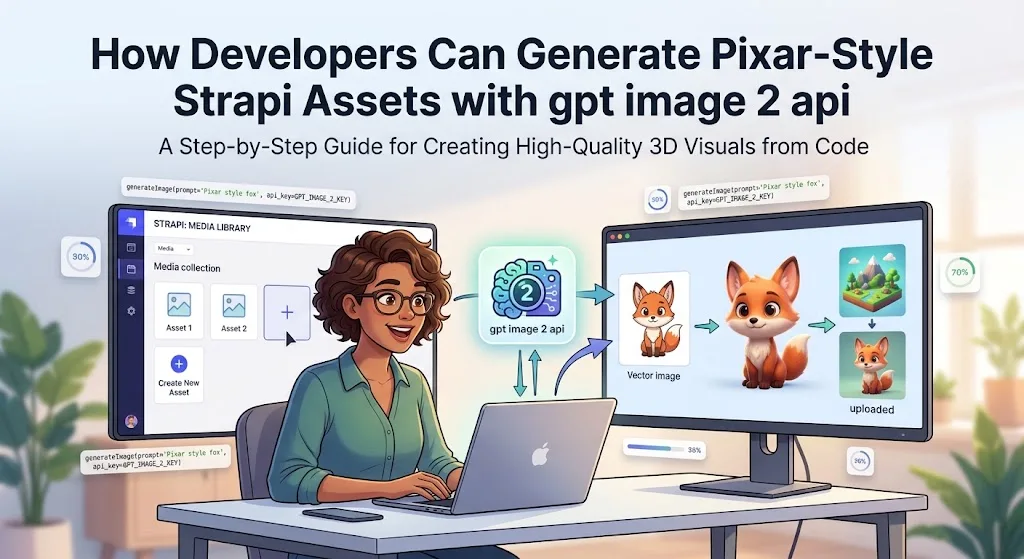
When an application needs to turn user-uploaded photographs into stylized visual assets, the challenge is rarely limited to generating a single image. Developers also need to think about consistency, file handling, asynchronous processing, storage, moderation, and the user experience.
This becomes particularly important in headless content management systems such as Strapi. A website might allow users to upload profile photographs, product images, or campaign assets and then request an automatically generated 3D animated-style version. Without a structured workflow, those image-generation requests can quickly become difficult to manage.
The gpt image 2 api can be incorporated into this type of architecture as the image-generation layer. The important part, however, is not simply sending an API request. A production implementation needs to separate the upload process from generation, validate inputs, track task status, and make sure failed requests do not leave incomplete records in the Strapi database.
Why Strapi Is a Useful Foundation for Image Workflows
Strapi provides a headless approach to content management, making it possible to keep content, media, and application logic separate from the frontend.
That architecture works well for automated image generation.
Consider an application that allows users to upload a portrait and select a visual treatment. The frontend sends the original file to Strapi. The backend can then validate the file, store the original asset, create a generation task, and pass the necessary information to an image-generation service.
The frontend does not need to remain connected to the generation request while the image is being processed.
Instead, the application can maintain a status such as:
- Pending
- Processing
- Completed
- Failed
Once the generated image is available, Strapi can update the relevant media record and the frontend can display the finished asset.
This separation makes the overall application more reliable and prevents slow image-generation operations from blocking normal content-management requests.
Start With Consistent Reference Images
Stylized transformations work best when developers provide good source material.
For portrait-based applications, the original image should ideally have reasonable resolution, a clearly visible subject, and minimal obstruction around the face. For product imagery, clean photographs with consistent camera angles can make downstream processing easier.
Developers should also define what must remain unchanged.
For example, a transformation workflow might require the following:
- Preserve the subject's general facial characteristics
- Maintain the original product proportions
- Keep important clothing or product details
- Replace or simplify the background
- Apply a consistent 3D animated visual treatment
- Produce a square image for profile use
This distinction is important because image generation should not become an excuse to redesign the underlying product or subject.
A prompt such as “create a colourful 3D character portrait based on this reference image, with soft studio lighting and a clean background” provides a clearer direction than simply asking for a “cartoon version.”
The exact prompt should be adapted to the application's requirements and tested against representative input images.
Design the Strapi Workflow Around Asynchronous Processing
Image generation can take considerably longer than ordinary database operations. For that reason, developers should avoid making a user's upload request wait indefinitely for the final image.
A better architecture looks like this:
Upload → Validate → Create Task → Generate → Store Result → Update Record
When a user uploads an image, Strapi first validates the file. The application then creates a database record representing the generation job.
A simplified record might contain:
generation_id user_id source_image status provider_task_id generated_image created_at completed_at error_message
The initial status can be set to pending.
The backend then submits the generation request and stores the returned task or request identifier. Once processing finishes, the application can retrieve the result and update the record.
This approach has an important advantage: users can leave the page while their image is being processed.
When they return, the application can simply check the generation status rather than attempting to reconstruct what happened during the original request.
Keep API Integration Separate From Business Logic
One of the most useful architectural decisions is to avoid placing the entire image-generation implementation directly inside a Strapi controller.
Instead, create a dedicated service layer.
For example:
async function generateStyledImage(sourceImage, prompt) { // Validate input // Send generation request // Return provider task information }
The Strapi controller can then handle application-specific responsibilities while the service handles communication with the image-generation provider.
This separation makes the code easier to test and maintain.
It also makes it possible to change providers later without rewriting the entire content-management workflow.
A typical structure might look like:
Strapi Controller | v Image Generation Service | v Image API | v Task / Result Handler | v Strapi Media Library
This architecture becomes particularly useful when the application eventually supports several visual styles or multiple generation providers.
Build Prompts Around the Application's Requirements
Prompt design should focus on measurable visual requirements rather than excessive descriptive language.
Suppose a platform is generating profile illustrations. A useful instruction might specify:
- Three-dimensional animated appearance
- Friendly and polished character design
- Soft studio illumination
- Clear facial features
- Simple background
- Square composition
- Subject centred in the frame
- Preserve the main characteristics of the reference
The application can then keep these requirements in a reusable prompt template.
For example:
Create a polished 3D animated-style character portrait based on the supplied reference image. Preserve the subject's key facial characteristics and overall identity. Use soft studio lighting, subtle materials, a clean background, and a centred square composition.
Developers should test prompt templates against different source images rather than assuming that one successful result represents the entire dataset.
A workflow that works well for studio portraits may behave differently with low-light photographs, group images, unusual poses, or partially obscured faces.
Validate Images Before Sending Them for Generation
Input validation is another important part of the workflow.
The backend should check factors such as:
- File type
- File size
- Image dimensions
- Aspect ratio
- Corrupted files
- Unsupported formats
- Potentially unsafe content
Applications can resize oversized images before submitting them to the generation service. This can reduce unnecessary processing and make the pipeline more predictable.
A Node.js application using Sharp, for example, can perform basic preprocessing before an image reaches the generation layer.
A simplified preprocessing operation might look like:
const processedImage = await sharp(inputBuffer) .resize({ width: 2048, height: 2048, fit: "inside", withoutEnlargement: true }) .jpeg({ quality: 90 }) .toBuffer();
The exact dimensions and compression settings should be selected according to the requirements of the chosen model and the application's quality needs.
The important principle is to validate against the current API documentation rather than hard-coding assumptions based on older model specifications.
Use Queues for High-Volume Applications
A small application may be able to process image-generation requests directly from a Strapi controller. A larger application should consider a queue.
Imagine a marketing platform receiving 500 image-generation requests after a campaign launches. Sending all of those requests synchronously through the web application can create unnecessary pressure on the backend.
A queue allows the system to distribute the workload.
A simplified flow is:
User Upload | v Strapi | v Job Queue | +----> Worker 1 | +----> Worker 2 | +----> Worker 3 | v Image API | v Storage + Strapi
Workers can process jobs according to the application's concurrency limits.
The queue can also provide retry handling, which is useful for temporary network failures or provider-side errors.
Developers should distinguish between retryable errors and permanent failures. A temporary timeout may justify another attempt, while an invalid input should normally be marked as failed immediately.
Handle Webhooks and Polling Carefully
Depending on the API architecture being used, developers may receive results through a webhook or retrieve the status through a task endpoint.
A webhook-based approach can be efficient because the application does not need to repeatedly ask whether a task has finished.
The callback handler should nevertheless verify incoming requests before updating a database record.
At minimum, the system should establish:
- Which task the callback belongs to
- Whether the task is still expected
- Whether the result is valid
- Where the generated asset should be stored
- Whether the database record can safely be updated
A fallback mechanism can also be useful.
For example, a scheduled worker could periodically check tasks that have remained in processing for longer than the expected duration. This prevents a lost callback from leaving an image permanently stuck in that state.
Think About Storage and Media Management
Generated images should not simply remain at a temporary provider URL indefinitely.
A production workflow should define where completed assets will live.
For a Strapi application, the generated file can be stored using the project's configured media provider. The database can then reference the resulting asset through the normal Strapi media relationship.
Keeping the source and generated files logically connected is useful for future editing or regeneration.
For example:
Original Image | +---- Generation A | +---- Generation B | +---- Generation C
This gives users or administrators the ability to identify which source image produced a particular variation.
It also helps prevent accidental overwriting of the original asset.
Add Cost and Usage Controls
Image generation can become expensive when users are allowed to submit unlimited requests.
A production application should therefore consider usage controls before launch.
Possible controls include:
- Requests per user
- Requests per hour
- Maximum source-image size
- Maximum generation attempts
- Queue concurrency
- Monthly usage limits
- Administrative monitoring
A simple quota system can prevent one account or automated process from generating an excessive number of images.
Developers should also monitor actual usage rather than relying exclusively on estimated costs. API pricing can change, and different quality, resolution, or output settings may have different costs.
Before deployment, teams should calculate expected monthly usage using the current pricing documentation for the selected model and provider.
Protect User-Generated Content
When users upload photographs, privacy and security become part of the technical design.
Applications should avoid exposing private source images through publicly guessable URLs. Access permissions should be appropriate for the type of content being processed.
Developers should also establish how long source images and generated files are retained.
If an application only needs the original image for a short transformation process, keeping unnecessary copies indefinitely increases storage requirements and can create avoidable privacy concerns.
Content moderation should also be considered where users can freely upload images. The exact requirements depend on the application's audience, jurisdiction, and use case.
Test the Complete Pipeline Before Scaling
A successful test should evaluate more than whether an image can be generated.
Developers should test:
- Small and large source images
- Different aspect ratios
- Invalid files
- Network failures
- API errors
- Duplicate requests
- Slow generation times
- Failed webhooks
- Queue congestion
- Storage failures
- Concurrent uploads
The most valuable tests are often the failure scenarios.
For example, what happens if the image is successfully generated but Strapi fails while saving the result? What happens if a webhook arrives twice? What happens when a task remains pending for an unusually long time?
A reliable system should be able to recover from these situations without creating duplicate media records or losing task information.
A Practical Architecture for Strapi Developers
Putting the components together, a production-oriented workflow can follow this sequence:
- A user uploads a photograph through the application.
- Strapi validates the file and stores the original.
- The backend creates a generation record with a pending status.
- The image is preprocessed if necessary.
- A dedicated image-generation service submits the request.
- The returned task identifier is saved to the generation record.
- A worker or callback handler monitors the request.
- The completed image is downloaded or retrieved securely.
- Strapi stores the generated asset in its media system.
- The generation record changes to completed.
- The frontend retrieves the new asset through the normal application API.
- Failed jobs are logged and handled through an appropriate retry or error process.
This structure keeps image generation independent from the core content-management operations.
Final Thoughts
Generating 3D animated-style imagery from user or product photographs can be a useful feature for applications built with Strapi, but the image model itself is only one component of the solution.
The strongest implementations combine accurate reference images, carefully structured prompts, input validation, asynchronous processing, queues, secure storage, task tracking, and sensible usage limits.
The gpt image 2 api can serve as the generation layer within such a workflow, while Strapi provides a practical foundation for managing uploads, content relationships, and generated media.
For developers, the key is to think beyond the initial API call. A production-ready image pipeline should be designed as a complete system in which generation is reliable, failures are recoverable, assets are properly managed, and users receive a consistent experience from upload to final image.