
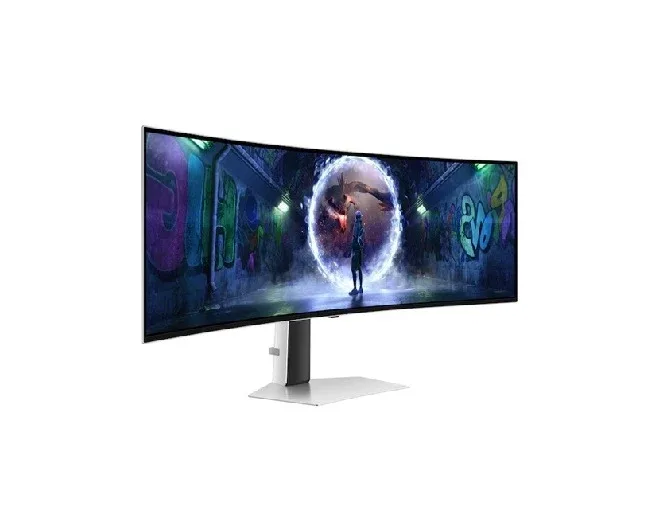
Gaming is no longer just about having a powerful computer or the latest console. The screen in front of you plays a major role in how enjoyable a game feels. A good display can make fast movement look smoother, dark scenes easier to see, and colourful game worlds feel much more lifelike. For players who want to take their experience further, choosing the right monitor can make a noticeable difference.
One display technology that has attracted considerable attention among gamers is OLED. Unlike traditional screens that rely on a separate light behind the picture, OLED panels can control individual pixels to create their own light. This allows them to produce deep blacks, strong contrast, and impressive picture quality.
But is an OLED display automatically the right choice for every gamer? Not necessarily. It comes with advantages as well as considerations worth understanding before making a purchase. From picture quality and response time to screen size and everyday use, several factors can affect whether this type of monitor suits your gaming setup.
What Makes OLED Different?
To understand why OLED screens look different, imagine a large room filled with thousands of tiny lamps. On a conventional display, a light source sits behind the picture and shines through different areas to create the image.
OLED works differently. Each pixel can produce its own light or remain completely off when displaying black.
Think of each pixel as a tiny lamp that can switch itself on and off. If a scene contains a completely black area, those pixels can stay off rather than trying to make the light as dark as possible.
This is one reason OLED displays can create very deep blacks. The result can be a picture with strong contrast, particularly in games that contain nighttime scenes, dark buildings, caves, or space environments.
Why Black Levels Matter in Games
Deep blacks are not simply about making a screen look impressive in a showroom. They can change the overall appearance of a game.
Imagine playing a horror game in a dark room. With a display that struggles to show dark areas accurately, shadows may look grey or washed out. Details can also appear less distinct.
An OLED panel can make dark parts of an image appear much darker while keeping brighter objects visible. This can give scenes a more dramatic appearance and make the difference between bright and dark areas much more noticeable.
The same benefit can appear in cinematic adventure games. A star-filled sky, glowing city lights, or a torch in a dark cave can have a stronger visual impact when the surrounding black areas are genuinely dark.
Fast Response Can Make Gaming Feel Smoother
Another important advantage is how quickly the pixels can change from one image to another.
This matters because games can involve rapid movement. A racing car can cross the screen in a moment, while an opponent in a competitive shooter may suddenly move from one side of your view to another.
When pixels respond quickly, moving objects can appear clearer. You may notice less visible trailing behind fast-moving objects.
For casual players, this may not be the first thing they notice. Competitive gamers, however, often pay closer attention to movement because even small amounts of unwanted blur can make a fast scene harder to follow.
A simple way to think about it is like taking photographs of a moving object. A camera that captures motion clearly can make the subject look sharp, while a slower capture can produce a blurred result. A fast display response helps the moving picture on your screen remain cleaner.
Refresh Rate Is Another Important Factor
Refresh rate refers to how many times a monitor can update the picture each second. It is usually expressed in hertz, or Hz.
For example, a 60Hz display refreshes the image up to 60 times per second. Higher refresh rates can make movement appear more fluid, provided the computer or console is capable of producing enough frames to take advantage of them.
This can be especially noticeable in racing games, sports titles, action games, and competitive shooters.
However, a higher refresh rate alone does not guarantee a better gaming experience. Your gaming hardware also matters. If your computer cannot produce enough frames, buying a monitor with a very high refresh rate may not deliver its full potential.
That is why it is useful to consider the monitor and gaming system as a team rather than choosing one specification in isolation.
Colours Can Feel More Lively
OLED displays are also known for producing strong and vivid colours.
This can be particularly enjoyable in games with colourful environments. Imagine exploring a fantasy world filled with green forests, blue oceans, bright magical effects, and colourful characters. A display with strong colour reproduction can help those details stand out.
The benefit is not limited to gaming, either. The same screen can be useful for watching movies, streaming shows, browsing photographs, or enjoying other visual content.
This makes an OLED monitor potentially attractive to someone who uses the same desk for entertainment and everyday computer activities.
Screen Size Should Match Your Space
A common mistake when buying a monitor is focusing too heavily on specifications while ignoring the physical setup.
A very large screen can be exciting, but it may not be comfortable if you sit close to your desk. On the other hand, a smaller display may feel more natural in a compact gaming area.
Before choosing a screen, consider how far you normally sit from it. Think about the width of your desk, the position of your keyboard and mouse, and whether you have room for speakers or other accessories.
For competitive gaming, some players prefer screens that allow them to see the entire display easily without moving their eyes too far. For immersive single-player games, a larger screen can provide a more cinematic feeling.
There is no single size that works perfectly for everyone.
Resolution Also Deserves Attention
Resolution describes the number of pixels used to create the picture. More pixels can allow a screen to show finer detail, although the final result also depends on screen size, viewing distance, game settings, and the hardware producing the image.
A higher-resolution display can make small details easier to see. Textures, distant objects, character features, and environmental elements may appear more defined.
However, higher resolution can also require more graphics power. If your gaming computer is not powerful enough, you may have to reduce certain settings to maintain smooth gameplay.
The best approach is to balance image detail with performance rather than chasing the biggest number available.
What About Burn-In?
One consideration often discussed with OLED technology is image retention and burn-in.
Burn-in refers to a situation where elements that remain on screen for very long periods can eventually leave a persistent visible mark. Modern OLED displays include various features designed to reduce this risk, and normal varied use does not mean that burn-in will automatically occur.
Still, it is sensible to understand the issue before buying.
For example, someone who spends many hours every day displaying the same desktop interface, taskbar, or static game element may want to pay closer attention to the manufacturer's guidance.
Using the monitor's built-in protection features and allowing the display to perform its maintenance functions can help support long-term use.
OLED Is Not Only for Competitive Gamers
It is easy to assume that OLED technology is mainly intended for professional or competitive gaming. In reality, many different types of players can appreciate its strengths.
Someone who enjoys story-driven games may value the strong contrast and cinematic picture. A racing enthusiast may appreciate smooth movement. A strategy gamer may enjoy the clarity and rich colours of detailed maps.
Even people who play occasionally can benefit from having an attractive display that also works well for movies, streaming, and everyday computer tasks.
The important question is not whether you are a serious gamer. Instead, consider what you actually do on your screen and which qualities matter most to you.
Think About Connectivity and Features
A monitor is more than just its panel. It is also worth checking the available connections and additional features.
Consider whether you need HDMI connections for a console, DisplayPort for a computer, USB ports for accessories, built-in speakers, or an adjustable stand.
Ergonomics can also make a difference. A stand that allows height, tilt, or rotation adjustments can help you position the screen more comfortably.
Some monitors also support technologies designed to reduce distracting tearing and make gameplay appear smoother when the frame rate changes. Compatibility with your graphics hardware or console should be checked before purchasing.
These details may not sound exciting, but they can have a major effect on how convenient the monitor is to use every day.
OLED Gaming Monitors and Your Overall Setup
A monitor should fit into the entire gaming setup rather than being considered separately.
Your graphics card, processor, console, cables, desk, lighting, and viewing distance all influence the final experience.
For example, spending heavily on a high-end display while using hardware that cannot deliver the desired gaming performance may leave some of the monitor's capabilities unused.
Similarly, even an excellent display may feel uncomfortable if it is positioned too close, too far away, or at an awkward height.
Before buying, make a simple list of what you already have and what you want to improve. This can help prevent unnecessary spending.
Is OLED Worth Considering for Your Gaming Space?
An OLED gaming monitor can offer several appealing qualities, including deep blacks, strong contrast, vibrant colours, and very fast pixel response. These features can make games look more immersive and help fast-moving scenes appear clearer.
At the same time, buyers should consider factors such as price, screen size, resolution, refresh rate, connectivity, and long-term usage habits. OLED is a display technology with particular strengths, but that does not mean every OLED model will suit every player.
If you are comparing options for your home entertainment setup, retailers such as Shams Al Sahil can also be part of your research process as you consider different display choices and features.
How to Choose the Right Display
Start by thinking about the games you play most often.
If you mainly enjoy cinematic adventures, picture quality and contrast may be high on your list. If competitive multiplayer games are your priority, smooth movement and quick response may deserve more attention.
Next, consider your gaming hardware. Make sure your computer or console can take advantage of the resolution and refresh rate you are considering.
Finally, think about everyday use. If the same monitor will be used for work, browsing, movies, and gaming, features such as connectivity, viewing comfort, and screen size become just as important as gaming performance.
Instead of buying based on one impressive specification, look at the whole package.
Conclusion
A gaming monitor can influence much more than how sharp a game looks. It can affect how smoothly movement appears, how convincing dark scenes feel, and how enjoyable colourful environments become.
OLED technology offers a distinctive combination of deep blacks, strong contrast, vivid colours, and rapid pixel response. These qualities can make everything from a quiet cinematic scene to a fast competitive match feel more engaging.
However, choosing the right display is ultimately about matching the screen to your own space, hardware, games, and everyday habits. Consider the features that will genuinely improve your experience rather than simply choosing the biggest or most expensive specification.
With the right balance, your monitor can become more than another part of your gaming desk. It can be the window through which the entire game world comes alive.
Frequently Asked Questions
1. Is OLED good for gaming?
Yes. OLED displays can offer deep blacks, strong contrast, vibrant colours, and very fast pixel response, making them well suited to many types of games.
2. Does OLED have a fast response time?
OLED technology is known for very fast pixel response, which can help reduce visible trailing during quick on-screen movement.
3. Is burn-in a concern with OLED monitors?
Burn-in is a consideration with OLED technology, particularly with prolonged display of static elements. Modern displays include features intended to reduce the risk, but users should still follow the manufacturer's recommendations.
4. Should I choose a high refresh rate?
A higher refresh rate can make movement look smoother, but your computer or console needs to produce enough frames to benefit from it.
5. Can an OLED monitor be used for more than gaming?
Yes. It can also be used for movies, streaming, photographs, browsing, and everyday computer tasks, depending on the model and your requirements.